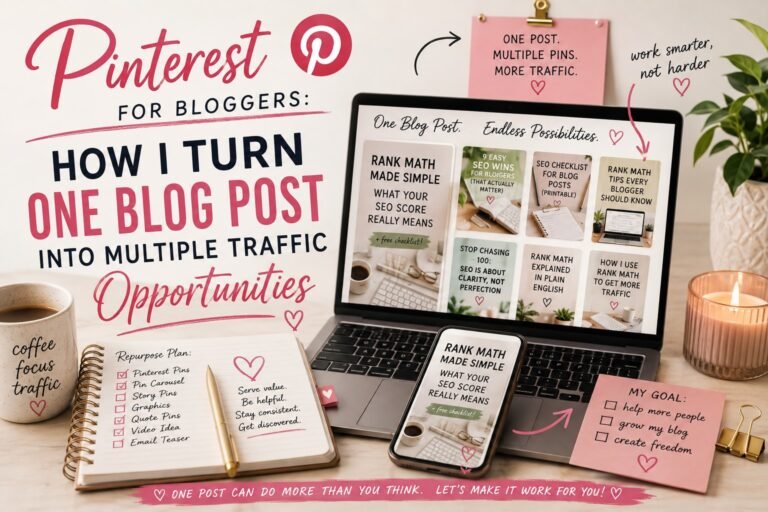
Pinterest for Bloggers: How I Turn One Blog Post Into Multiple Opportunities for Traffic
There was a time when I thought publishing a blog post was basically the finish line.
Write the article.
Edit it.
Add the images.
Optimize the SEO.
Hit Publish.
Done. 🎉
Except…
Then what?
Because publishing an amazing article doesn’t automatically mean anyone is going to find it.
That’s where Pinterest for bloggers started making much more sense to me.
I don’t think of Pinterest for bloggers as simply another social media platform where I need to constantly post something new to stay relevant. I think of it as another opportunity for people to discover content I’ve already worked incredibly hard to create.
And that’s a pretty important distinction.
Because I don’t want to spend hours writing a 2,500-word blog post, publish it once, share it once, and then immediately move on to creating something else.
I want that article to keep working.
Pinterest for bloggers gives me another way to make that happen.
And the strategy I’ve started building is surprisingly simple:
One blog post doesn’t have to equal one Pinterest Pin. One blog post can create multiple opportunities to be discovered.
Let me show you what I mean.
I know.
More keyword research. 😂
Apparently we’re never escaping it.
But after learning how much search intent matters for blog SEO, I realized something:
Why would I spend time researching how someone searches Google…
and then completely stop thinking about search behavior when I move over to Pinterest for bloggers?
Before I create a Pin, I want to understand how someone might describe the problem my article solves.
Let’s use this blogging series as an example.
Suppose I’ve just published:
Rank Math SEO Score Explained: What Actually Matters Before You Publish
The obvious Pin might say:
Rank Math SEO Score Explained
That’s perfectly fine.
But that’s only one way someone might approach this problem.
Someone else might be wondering:
Why is my Rank Math score low?
Another blogger might search:
What is a good Rank Math score?
Someone else might want:
How to improve Rank Math SEO score
And another person might be asking:
Do I need 100 on Rank Math?
Same article.
Different search intent.
That’s where the opportunity starts getting interesting.
Pinterest for bloggers Isn't Just Social Media—Think Search and Discovery
This was the mindset shift that changed Pinterest for me.
When I think about traditional social media, I usually think about a feed.
You post something.
People see it.
Maybe they like it.
Maybe they comment.
Then the feed moves on to the next thing.
Pinterest behaves differently.
People go to Pinterest looking for ideas.
They search for things like:
- DIY front porch ideas
- Easy weeknight dinners
- Small-space organization
- Beginner blogging tips
- Pinterest SEO
- How to increase blog traffic
- Fall wedding inspiration
- Home office makeover ideas
They’re actively trying to find something.
And that makes Pinterest really interesting for bloggers.
Someone doesn’t necessarily need to know who I am or follow Creating From Chaos before discovering one of my Pins.
They can search for an idea.
Pinterest can surface my content.
They can click.
And suddenly they’re on my blog.
That’s much closer to the way I think about Google than the way I think about Instagram.
💡 The Mindset Shift
Instead of asking:
What should I post on Pinterest today?
I’ve started asking:
How might someone search for the content I’ve already created?
That question changes everything.
Pinterest SEO Starts Before I Design the Pin
One Blog Post Can Become Multiple Pinterest Opportunities
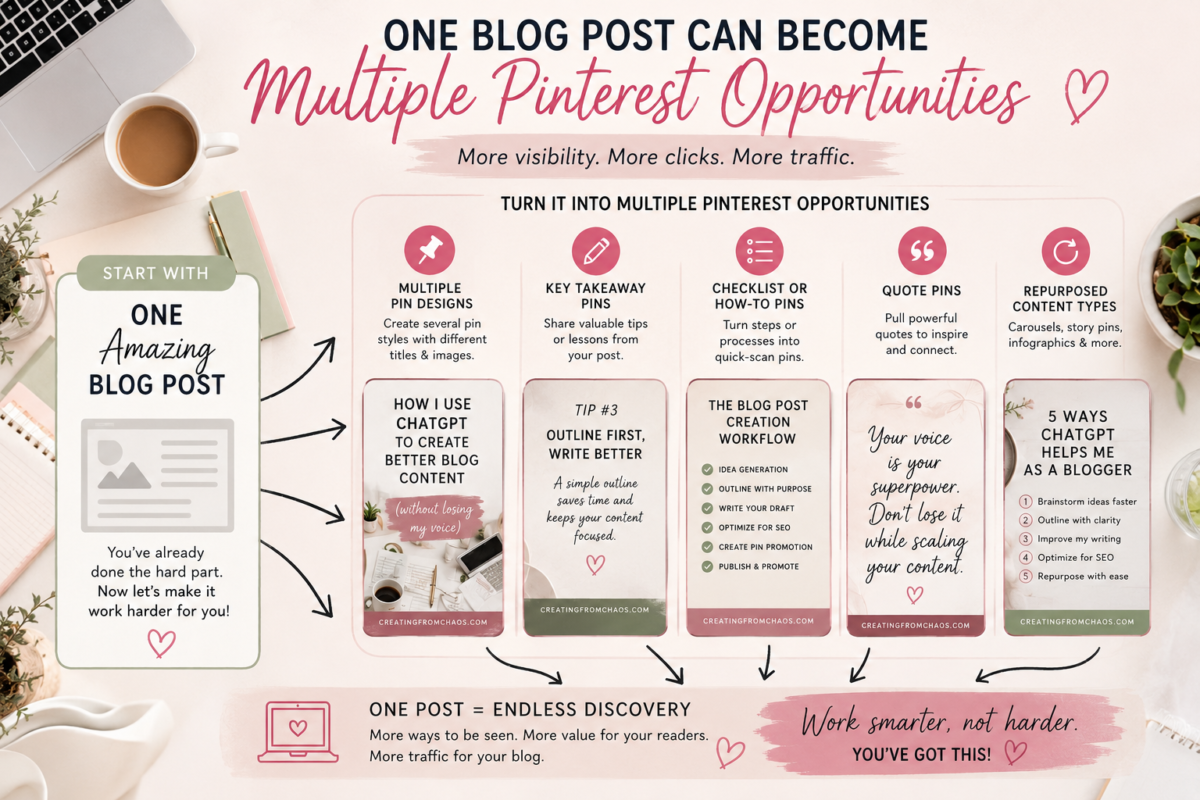
This is probably the most important idea in this entire article.
I don’t want to create five identical Pins with five slightly different backgrounds.
I want to create different entry points into the same useful piece of content.
Let’s keep using our Rank Math article.
The article answers several questions, so I could create Pins around different angles:
Pin #1 — The Beginner Angle
Rank Math SEO Score Explained for Beginners
This is for someone who has installed Rank Math and basically has no idea what all those little colored indicators mean.
Pin #2 — The Frustration Angle
Why Isn’t My Rank Math SEO Score 100?
This speaks directly to the person staring at an 87 and wondering what they’ve done wrong.
Spoiler:
Probably nothing. 😂
Pin #3 — The How-To Angle
How to Improve Your Rank Math SEO Score
Now we’re targeting someone actively looking for steps they can take.
Pin #4 — The Curiosity Angle
7 Rank Math SEO Checks That Actually Matter
This positions the article as a shortcut through all the noise.
Pin #5 — The Contrarian Angle
Stop Chasing a 100 Rank Math Score
This is completely different emotionally.
It’s not simply promising information.
It’s challenging something the reader may already believe.
And here’s the beautiful part:
Every one of those Pins can lead to the same article.
We’re not creating five blog posts.
We’re creating five doors into one really good one.
This Isn't About Spamming Pinterest With the Same Pin
There’s an important distinction here.
I don’t want to upload the exact same graphic over and over again with tiny changes.
Pinterest currently recommends publishing original content and specifically warns creators against repeatedly saving duplicate Pins or continually uploading content that already exists on the platform.
So when I say multiple Pins, I mean genuinely different creative approaches.
That might include:
- A different headline
- Different imagery
- A different layout
- A different hook
- A different search intent
- A different benefit
- A different section of the article
Same destination.
Different reason to click.
That’s what makes this strategy useful rather than repetitive.
How I Create Pinterest Pins People Actually Want to Click
SEO can help a Pin get discovered.
But discovery isn’t enough.
Someone still has to look at the Pin and think:
I need to know more about that.
That’s why I try to balance searchability with curiosity.
Consider:
There’s nothing technically wrong with it.
But compare that with:
Why Your Pinterest Pins Aren’t Sending Traffic to Your Blog
Now we’ve identified a problem.
Or:
How I Turn One Blog Post Into 5 Pinterest Traffic Opportunities
Now there’s a specific outcome.
Or:
Stop Creating One Pinterest Pin Per Blog Post
Now we’re challenging an assumption.
Those are the kinds of headlines that make me stop scrolling.
And I’m assuming I’m not the only nosy person on Pinterest. 😂
Design for the Scroll
Pinterest is incredibly visual, which means even fantastic information can disappear if the graphic doesn’t communicate quickly.
Pinterest currently recommends high-quality, vertical creative and specifically recommends a 2:3 aspect ratio for images. It also notes that much of its audience uses mobile devices.
So when I’m designing a Pin, I’m thinking about the person looking at it on a phone.
Can they immediately read the headline?
Is the text large enough?
Is there enough contrast?
Does the image actually relate to the topic?
Can someone understand the promise without studying the graphic for ten seconds?
Because they’re not going to study it for ten seconds.
They’re going to scroll.
The Pin has to communicate quickly.
Your Pinterest Keywords Have More Than One Home
Pinterest SEO isn’t about finding one keyword and cramming it into every available box.
Sound familiar? 😂
Just like blog SEO, I want the language surrounding my Pin to clearly communicate what the content is about.
That means paying attention to things like:
Pin title
Tell people what they’re going to get.
Pin description
Give Pinterest and the reader additional context about the content.
Board
Save the Pin somewhere genuinely relevant to the subject.
The Pin itself
The headline and visual should match what the linked article actually delivers.
The destination page
This is the part I think gets overlooked.
If my Pin promises:
How to Increase Blog Traffic With Pinterest
and then sends someone to a generic homepage that barely mentions Pinterest…
that’s a terrible experience.
The Pin and destination need to make sense together.
Pinterest’s own guidance recommends making sure your Pin’s image, text, keywords, and linked landing page are clearly related.
Again:
Good SEO and good user experience keep turning out to be suspiciously similar things.
What I Do After Publishing a Blog Post
This is the workflow I’m building for Creating From Chaos.
Once an article is written, optimized, and published, I don’t want the process to end.
I move into distribution mode.
Step 1: Identify the Core Search Intent
What is the primary problem this article solves?
That’s usually closely connected to the focus keyword we chose when writing the article.
Step 2: Find Additional Angles
What other questions does the article answer?
What frustration led someone to need this information?
What outcome are they trying to achieve?
What mistake might they be making?
What would make them curious?
Those answers become Pin concepts.
Step 3: Create Multiple Pin Designs
I create several genuinely different graphics rather than endlessly duplicating one design.
Some may be educational.
Some may be curiosity-driven.
Some might highlight a checklist.
Some might feature a specific result.
Step 4: Optimize Each Pin
Each Pin gets a clear title, useful description, relevant board, and the correct destination URL.
And yes.
I check the URL.
Because spending an hour making a beautiful Pinterest Pin that links to a 404 page feels exactly like something I would accidentally do. 😂
Step 5: Publish Over Time
I don’t need every Pin published simultaneously.
Pinterest recommends creating original content regularly and consistently, so I would rather build Pinterest into my normal content-distribution rhythm than dump everything onto the platform at once.
Step 6: See What Actually Worked
Then comes the part I used to skip.
Analytics.
Stop Measuring Pinterest Success by Impressions Alone
This one is important.
Seeing:
100,000 impressions
feels amazing.
Look at all those people!
Except…
did any of them come to the website?
Because if my goal is blog traffic, the number I’m particularly interested in is:
Outbound clicks
Pinterest defines outbound clicks as clicks that take someone to the destination URL associated with the Pin.
In other words:
Did Pinterest actually send someone to my website?
Pinterest Analytics also provides metrics such as:
- Impressions
- Saves
- Pin clicks
- Outbound clicks
- Follows
Those all tell us something.
But they don’t all tell us the same thing.
If I’m trying to grow Creating From Chaos, I don’t just want Pins people see.
I want to know:
Which Pins make people curious enough to leave Pinterest and come see what I’ve created?
That’s incredibly valuable information.
Your Best-Performing Pin Is Also Market Research
This might be my favorite part of the entire strategy.
Let’s say I create these two Pins:
Pin A
Rank Math SEO Score Explained
Pin B
Stop Chasing a 100 Rank Math Score
And Pin B gets significantly more outbound clicks.
That’s not just a Pinterest win.
I learned something about my audience.
They’re interested in the frustration around getting the perfect score.
That insight could influence:
- A future blog article
- An email subject line
- Another Pinterest Pin
- A downloadable checklist
- A social post
- A lead magnet
Pinterest becomes more than a traffic source.
It becomes another place where I can learn what people actually respond to.
And that information can make the rest of my content better.
✨ From My Workflow: One Post, Five Opportunities
This is the Pinterest habit I’m building:
After I publish a blog post, I don’t ask:
Did I make a Pin?
I ask:
How many genuinely different reasons could someone have for clicking this article?
Usually, there’s more than one.
Maybe someone wants the tutorial.
Someone else wants the checklist.
Someone wants to avoid a mistake.
Someone is frustrated.
Someone is curious.
Those become my Pin angles.
That’s how I want Pinterest to fit into my blogging workflow.
Not as another platform demanding endless new content.
But as a tool that helps the content I’ve already created work harder.
📌 Your Pinterest Quick Win
Take one blog post you’ve already published.
Preferably one you’re proud of that isn’t getting nearly enough traffic.
Now write down five different questions, frustrations, or outcomes that article addresses.
Turn each one into a potential Pinterest headline.
You don’t even need to design anything yet.
Just practice looking at one article through five different search intents.
Suddenly you’re not staring at Pinterest thinking:
What am I supposed to post today?
You already know.
You’re repackaging something useful you’ve already created.
The Goal Isn't More Content. It's More Mileage From Your Content.
This is probably the biggest change happening in the way I think about blogging.
For a long time, I assumed growth meant constantly creating more.
More articles.
More social posts.
More Pins.
More emails.
More everything.
And that’s exhausting.
Now I’m much more interested in asking:
How much value can I create from the work I’ve already done?
A strong blog post can become:
Google traffic
↓
Multiple Pinterest Pins
↓
Social content
↓
An email
↓
A downloadable resource
↓
Ideas for future articles
↓
Data about what my audience actually cares about
That’s a much better return on the hours I spent creating the original article.
And for me, that’s what Pinterest for bloggers is really about.
It’s not another platform I have to feed.
It’s another way to help the right person discover something I’ve already created.
Because hitting Publish shouldn’t be the end of your content’s life.
It should be the beginning of its distribution.