Rank Math Made Simple: What Your SEO Score Really Means
What Your SEO Score Really Means—and How to Optimize a Blog Post Without Chasing 100
Let me start with something important: you don’t need Rank Math to have a successful blog.
Rank Math is the SEO tool I use here on Creating From Chaos, and it’s the one I’ll use throughout this guide because it’s simple, intuitive, and has become an essential part of my publishing workflow. But there are other excellent SEO tools available for WordPress, including Yoast SEO, All in One SEO, and SEOPress.
Which one you choose matters far less than understanding why you’re using one in the first place.
A good SEO tool isn’t there to magically make your content rank on Google. It can’t turn a bad article into a great one, and a green score doesn’t guarantee you’ll land on page one.
What it can do is help you make sure the content you’ve worked so hard to create isn’t being held back by things you forgot—or never knew you were supposed to do.
Did I write an SEO title?
Is my focus keyword clear?
Did I create a meta description?
Did I add internal links?
Are my images properly optimized?
Does my URL make sense?
Did I add schema?
Did I accidentally create a 4,000-word article without giving readers an easy way to navigate it?
Those are exactly the kinds of things I want an SEO tool watching for.
And if you asked me to choose one blogging tool I wouldn’t want to work without, it would probably be a good SEO tool.
That’s saying a lot considering how many tools I use.
Do You Need to Pay for an SEO Plugin?
No.
You can absolutely start with a free SEO plugin, and if paying for another blogging subscription isn’t in your budget right now, please don’t let that stop you from starting.
But I’ll also tell you what I chose.
I pay for Rank Math Pro, and for me, especially while learning SEO, it has been completely worth it.
When you’re new to blogging, you don’t know what you don’t know.
Having a tool sitting beside me while I prepare an article for publication has helped me catch things I would have missed, understand how different pieces of on-page SEO fit together, and gradually develop a repeatable optimization process.
Over time, something interesting happens.
You stop simply following the checklist.
You start understanding why the checklist exists.
And that’s what I really want to teach you in this guide.
Because whether you use Rank Math, Yoast, All in One SEO, SEOPress, or something entirely different, the fundamentals don’t change.
The tool isn’t the strategy.
Understanding what the tool is asking you to do—and knowing when its advice actually matters—is the strategy.
Rank Math vs. Other Popular SEO Plugins
Before we dive into Rank Math, here’s the way I would think about some of the popular WordPress SEO options:

| SEO Tool | Why You Might Choose It | My Take |
|---|---|---|
| Rank Math | Lots of optimization guidance, schema tools, keyword features, and an approachable interface | What I use. I find it straightforward and easy to work into my publishing process. |
| Yoast SEO | Long-established WordPress SEO plugin with strong content and readability guidance | A solid option, especially if you like a very guided approach. |
| All in One SEO (AIOSEO) | Broad SEO toolkit with features designed for different types of WordPress sites | Another strong all-around option worth comparing. |
| SEOPress | Streamlined SEO toolkit with both free and premium options | Worth considering if you prefer a different interface or feature set. |
I’m not interested in convincing you that one of these is universally “the best.”
Try the interfaces. Look at the features you’ll actually use. Consider your budget. Then pick one and learn how to use it well.
For me, that’s Rank Math.
So that’s what we’re going to use to pull back the curtain on something I wish I’d understood much earlier:
What actually makes that SEO score go up—and does every point really matter?
What Does Your Rank Math Score Actually Mean?
You finish your article.
You’re proud of it.
You add your images, reread everything one more time, and think:
Finally. I’m done.
Then you look over at Rank Math.
72/100.
Excuse me?! 😂
Suddenly you’re being told your keyword density is too low, your focus keyword isn’t in enough headings, your title needs work, you’re missing an external link, and apparently the article you loved five seconds ago is now a C-minus.
I’ve been there.
And this is where understanding the difference between an SEO tool’s score and Google’s ranking systems becomes incredibly important.
Google doesn’t know that Rank Math gave your article an 82.
There isn’t a secret advantage for getting 100.
Rank Math is evaluating your content against a set of SEO and content checks and turning the results into a score that’s easy for us to understand.
Think of it as a really thorough pre-publish checklist.
Some of those checks are extremely useful.
Some are good general guidelines.
And some aren’t worth destroying a perfectly good sentence just to make another little indicator turn green.
Throughout this guide, we’re going to go through them together.
For every major Rank Math recommendation, I’m going to ask four questions:
What is Rank Math checking?
Why does it care?
Why might this matter for search or readers?
Should I actually change my article because of it?
Because my goal isn’t to teach you how to get a 100.
My goal is to help you understand SEO well enough that you know when the score matters—and when your reader matters more.
What Actually Drives Your Rank Math Score?
When I first started using Rank Math, I understood what it wanted me to change.
What I didn’t understand was why.
Why does my focus keyword need to appear in the first 10% of my article?
Why does it care whether the keyword appears in an H2?
Why am I being told to use the same phrase again when I’ve already made it perfectly clear what the article is about?
Why does adding an internal link suddenly give me more points?
And perhaps most importantly:
Does Google actually care about any of this?
Those are much better questions than, “How do I get my score to 100?”
So instead of simply showing you how to make every Rank Math indicator turn green, let’s look at what the tool is actually measuring—and why.
1. Your Focus Keyword: What Is It Actually For?

Let’s start with something I completely misunderstood when I first started paying attention to SEO scores.
When you enter a focus keyword into Rank Math, you’re not telling Google:
“Hey Google! This is the keyword I want to rank for.”
I wish it were that easy. 😂
Your focus keyword primarily tells Rank Math what you want the page to be about so the plugin knows what to evaluate.
Let’s say I’m writing this article and choose:
Rank Math SEO score as my focus keyword. Rank Math can now analyze the page and ask questions like:
- Is that phrase included in the SEO title?
- Does it appear near the beginning of the article?
- Is it used somewhere in the content?
- Does it appear in a heading?
- Is it included in the URL?
- Does the page appear to actually be about the topic we’re targeting?
Rank Math takes the answers to those questions, combines them with its other SEO checks, and uses them to help calculate the score you see inside WordPress.
That’s why choosing the right focus keyword before you optimize your post matters.
Your Focus Keyword Is Really About Search Intent
This is where our keyword research work comes back into the picture.
Before I choose a focus keyword, I’m not simply asking:
Which phrase gets the most searches?
I’m asking:
What is the person typing this into Google actually trying to find?
That’s called search intent.
This is also why I keep coming back to Google’s guidance on creating helpful, reliable, people-first content. Instead of asking whether you’ve checked enough SEO boxes, Google encourages creators to consider whether their content actually satisfies the needs of the people who find it.
Imagine I’m writing an article about increasing traffic to a new blog.
I could target: blog traffic
But that’s incredibly broad. Someone searching blog traffic could be looking for statistics, analytics tools, traffic benchmarks, definitions, marketing services, or a dozen other things.
Compare that with:
how to increase blog traffic for a new blog
Now I know much more about the person I’m trying to help.
They’re probably a newer blogger.
They aren’t getting the traffic they hoped for.
They want practical advice.
And they’re likely looking for strategies they can implement themselves.
That gives me much more than a keyword.
It gives me a reader.
And once I understand that reader, writing the article becomes much easier.
🔎 Here’s the Part I Want You to Remember
Your focus keyword isn’t a phrase you need to cram into your article as many times as possible.
It’s the central idea around which you’re building the page.
That’s a very different way of thinking about it.
If my focus keyword is keyword research for bloggers, my article will naturally discuss things like:
- Search intent
- Long-tail keywords
- Search volume
- Keyword difficulty
- Blog topics
- Organic search
- SEO tools
- Audience questions
I don’t have to repeat keyword research for bloggers every third paragraph for a search engine to understand what I’m talking about.
I’m building an entire conversation around the topic.
✨ From My Workflow
Before I optimize a post in Rank Math, I stop and ask myself:
If I could only describe this article with one search phrase, what would it be?
That’s usually my starting point for the focus keyword.
Then I ask:
Does the article actually deliver what someone searching that phrase would expect?
If the answer is no, I don’t start adding the keyword everywhere.
I go back to the content.
Because that’s usually not an optimization problem.
It’s an intent problem.
And fixing the content is far more valuable than fixing the score.
💡 The Mindset Shift
Instead of thinking:
How many times can I use my focus keyword?
Start with:
Have I created the best possible answer for the person searching this keyword?
That’s the question I want guiding every optimization decision we make from this point forward.
Because Rank Math needs a focus keyword to evaluate your page.
Your reader needs a reason to stay.
** If you’re still learning how all these pieces fit together, Google Search Essentials is worth bookmarking. It lays out the fundamental technical and content practices Google recommends for helping your pages become eligible to appear—and perform well—in Search.
Rank Math's Focus Keyword Guide
2. Keyword Density: Why Does Rank Math Want Me to Say It Again?

This is probably the Rank Math recommendation that confused me the most.
I would finish an article, read through it, and feel completely confident that anyone reading it would know exactly what the article was about.
Then I’d open Rank Math and see something like:
Keyword Density is 0.34, which is low. The Focus Keyword and combination appears 4 times.
And my immediate reaction was:
But I already said it. Why do I need to keep saying it?
More importantly, I wanted to know whether adding the phrase again would actually help my article rank—or whether I was simply adding words to make my Rank Math score go up.
Those are two very different things.
First, What Is Keyword Density?
Keyword density is simply a way of measuring how frequently a particular keyword appears compared with the total amount of content on the page.
For example, imagine I write a 2,000-word article and use my exact focus keyword 10 times.
The keyword appears throughout the article, so an SEO tool can use that repetition as one signal that the page really does cover the topic I told it I’m targeting.
That’s essentially what Rank Math is trying to help us evaluate.
Rank Math describes its content analysis as a way of checking whether you’re using the appropriate keywords in appropriate places and then giving you a to-do list for improving the content.
But here’s where things get important:
Rank Math’s preferred keyword density is not a secret formula for ranking on Google.
Google doesn’t publish an ideal keyword-density percentage that bloggers need to achieve.
And Google specifically advises against excessively repeating the same words or phrases.
So that little Rank Math indicator needs context.
Why Repeating a Keyword Can Still Be Helpful
Now, that doesn’t mean keyword usage doesn’t matter.
It does.
Google’s own Search Essentials recommends using words people would use to find your content and placing those words in prominent locations, such as your title, main heading, and other descriptive areas.
And honestly, that makes sense without knowing anything about SEO.
Imagine clicking an article titled:
Keyword Research for Bloggers
…and then reading 1,500 words in which the author never really talks about keyword research.
That would be strange.
If a phrase accurately describes what you’re writing about, you’re naturally going to use it—and related language—throughout the article.
The problem starts when we stop writing naturally because we’re trying to satisfy a percentage.
🚫 This Is Where Keyword Stuffing Happens
Let’s say my focus keyword is:
keyword research for bloggers
I could write:
Keyword research for bloggers is important because keyword research for bloggers helps bloggers understand SEO. If you’re learning keyword research for bloggers, this keyword research for bloggers guide will help you…
Please don’t. 😂
Technically, I increased my keyword density.
I also made the article miserable to read.
Google actually identifies repeating words or phrases so frequently that they sound unnatural as keyword stuffing, which violates its spam policies.
So getting another green check in your SEO plugin is definitely not worth turning good writing into that.
Think About the Topic, Not Just the Exact Phrase
This was the piece that made keyword density finally click for me.
If I’m writing an in-depth article about keyword research for bloggers, I’m probably also naturally talking about:
- search intent
- long-tail keywords
- search volume
- keyword difficulty
- organic traffic
- Google Search
- SEO
- blog topics
- search queries
- content strategy
I don’t have to find increasingly ridiculous ways to repeat the exact phrase keyword research for bloggers in every paragraph.
Instead, I’m thoroughly covering the topic.
And that gives me a much better goal:
Use your focus keyword enough that the topic is unmistakably clear, but write naturally enough that your reader never notices you’re “using a keyword.”
That’s the sweet spot I’m looking for.
So How Many Times Should I Use My Keyword?
This is the question I really wanted someone to answer.
And unfortunately, the answer is:
There isn’t one magic number.
A 900-word article and a 4,000-word guide shouldn’t necessarily contain the same number of keyword mentions.
Neither should every topic.
Instead of counting mentions first, I look at where I’ve used the keyword.
I want to ask:
Is it naturally in my SEO title?
Does the introduction make the topic obvious?
Would it make sense in at least one heading?
Does it naturally appear throughout the article?
Have I used related terminology that thoroughly explains the subject?
If yes, I’m in a much better position than I would be if I simply copied and pasted my exact keyword another six times.
✨ From My Workflow
Here’s what I do now when Rank Math tells me my keyword density is low.
First, I reread the article.
I don’t immediately start adding keywords.
I ask:
Could I naturally use my focus keyword somewhere I’ve used a vague phrase instead?
Maybe I wrote:
“This process helps bloggers…”
when:
“This keyword research process helps bloggers…”
would actually be clearer.
Perfect.
That’s an optimization that improves both SEO and the sentence.
I’ll make that change all day long.
But if the only way I can increase the density is by awkwardly inserting my exact keyword into sentences that already sound good?
I leave them alone.
My reader wins that argument every time.
💡 The Rule I’m Using Going Forward
I think I’ve finally landed on a much healthier way to think about keyword density:
Don’t add a keyword because Rank Math wants another occurrence. Add it when the keyword makes the content clearer.
That’s a huge difference.
We’re still paying attention to Rank Math.
We’re still optimizing our articles.
We’re just understanding what the recommendation is trying to accomplish instead of blindly following it.
And that’s really the entire point of this guide.
I don’t want a 100 because Rank Math says my article is optimized.
I want to understand SEO well enough to know why it’s giving me an 87—and decide whether those missing 13 points are actually worth taking.
🔗 Trusted Resource
3. Why Does Rank Math Want My Keyword in the SEO Title?

After figuring out keyword density, my next question was:
Why does Rank Math care so much about where I put the keyword?
If Google can understand what an article is about from the entire page, shouldn’t using the keyword somewhere in the content be enough?
Not exactly.
This is where I learned the difference between keyword frequency and keyword prominence.
Keyword frequency asks:
How often does this phrase appear?
Keyword prominence asks:
Where does it appear?
And those aren’t the same thing.
Your SEO title is one of the clearest opportunities you have to tell both search engines and potential readers what they’re about to find on the page.
First: What Is an SEO Title?
Your SEO title—sometimes called a title tag—is the title you specify for search engines and other systems to use when understanding your page.
It can be the same as your visible blog-post headline, but it doesn’t have to be.
For example, my on-page title might be:
From Chaos to Clicks: Understanding Your Rank Math SEO Score (and Why You Don’t Need 100)
That’s great for someone already on Creating From Chaos because it connects the article to the series and gives it some personality.
But for search, I may want something more direct:
Rank Math SEO Score Explained: What Actually Matters
Same article.
Different jobs.
The first introduces the article as part of my brand.
The second immediately communicates the topic to someone scanning search results.
That’s one reason I love having control over both.
Why Does the Keyword Matter Here?
Imagine searching Google for:
Rank Math SEO score
Now imagine these two results:
Result A
A Few Things I’ve Learned About Blogging
and:
Result B
Rank Math SEO Score Explained: What Actually Matters
Which one would you click?
Probably Result B.
Before you’ve read a single sentence, you know it’s relevant to what you searched.
That’s useful for people.
And clear, descriptive titles are useful for search engines too. Google recommends creating descriptive, concise title text and avoiding vague or repetitive titles.
So when Rank Math checks whether my focus keyword appears in the SEO title, this is one of those recommendations where I usually pay attention.
Not because:
Keyword in title = automatic rankings.
But because:
A strong title quickly communicates what the page is about.
That’s good SEO and good communication.
Does It Have to Be an Exact Match?
Here’s where I refuse to sacrifice a good headline for another green checkmark.
Let’s say my focus keyword is:
Rank Math SEO score
This works beautifully:
Rank Math SEO Score Explained: What Actually Matters
Easy.
Natural.
Done.
But sometimes the exact keyword sounds awkward.
If forcing the phrase into the title makes it confusing, robotic, or less compelling, I’m going to prioritize the title that accurately describes the article and makes sense to a human.
Remember what we’re trying to accomplish.
We aren’t trying to convince Rank Math that we know SEO.
We’re trying to help the right person recognize that our article answers their question.
Your SEO Title Also Has to Earn the Click
This is the piece I think gets lost when bloggers become obsessed with optimization scores.
Getting a page to appear in search is only part of the job.
Someone still has to choose it.
A title like:
Rank Math SEO Score
might be incredibly clear.
It’s also not particularly compelling.
Compare that with:
Rank Math SEO Score Explained: What Actually Matters Before You Publish
Now we’re doing two things.
We’re communicating the topic and giving the reader a reason to care.
That’s the balance I’m looking for.
Clear enough for search. Interesting enough for humans.
One Important Thing About Google Titles
There’s another misconception worth clearing up.
Setting an SEO title doesn’t guarantee Google will display those exact words as the blue title link in every search result.
Google can generate title links using several signals from a page, including the <title> element, the visible main title, headings, other prominent text, and sometimes anchor text pointing to the page.
In other words, our job is to give Google clear, consistent signals about what the page is about.
We don’t control every pixel of the search result.
And I’m okay with that.
✨ From My Workflow
When I’m writing an SEO title, I usually ask myself four questions:
- Does it clearly communicate the topic?
- Can I naturally include my focus keyword?
- Does it match what the person searching actually wants?
- Would I click it?
That fourth question matters more than you might think.
Because sometimes I get so focused on optimization that I create a technically beautiful title that sounds like it was written by a filing cabinet. 😂
That’s when I go back and give it some personality.
For this article, for example, I might test:
Rank Math SEO Score Explained: What Actually Matters
against:
Why Isn’t My Rank Math Score 100? Here’s What Actually Matters
One is more straightforward.
One taps into the frustration that probably brought someone here in the first place.
Both could work.
And that’s where SEO stops being a checklist and becomes a judgment call.
💡 Quick Test: Search It Yourself
Before finalizing an SEO title, I like this ridiculously simple test:
Pretend you don’t own your blog.
Search the keyword you’re targeting and look at the results already appearing.
Then ask:
If my article appeared beside these, would I understand what it offered—and would I have a reason to choose it?
I’m not looking to copy competitors’ titles.
Quite the opposite.
I’m looking at what the search results tell me about intent, and then figuring out how my article can clearly communicate its own value.
🚫 Don’t Turn Your Title Into a Keyword Storage Closet
If we’re targeting:
Rank Math SEO score
we do not need:
Rank Math SEO Score | Rank Math SEO | Improve Rank Math Score | SEO Score Tips
😂
We’ve officially stopped writing a title and started storing keywords.
Google specifically recommends avoiding keyword stuffing and repeated boilerplate in title elements.
One clear topic.
One useful promise.
One compelling title.
That’s enough.
💛 What I’m Actually Trying to Accomplish
So when Rank Math gives me a green check because my focus keyword appears in my SEO title, I’m happy to take the points.
But now I understand why I’m doing it.
Not:
Rank Math told me to put the keyword here.
Instead:
This is one of the most prominent places I can clearly communicate what my page offers.
And that’s exactly the distinction I want you to start making as you work through your own SEO score.
Don’t just ask:
How do I make this test green?
Ask:
What is this test trying to help me accomplish?Once you start thinking that way, Rank Math becomes much less intimidating.
It stops being a grader.
It becomes a teacher.
Section 4: Why Does Rank Math Want My Keyword Near the Beginning of the Article?
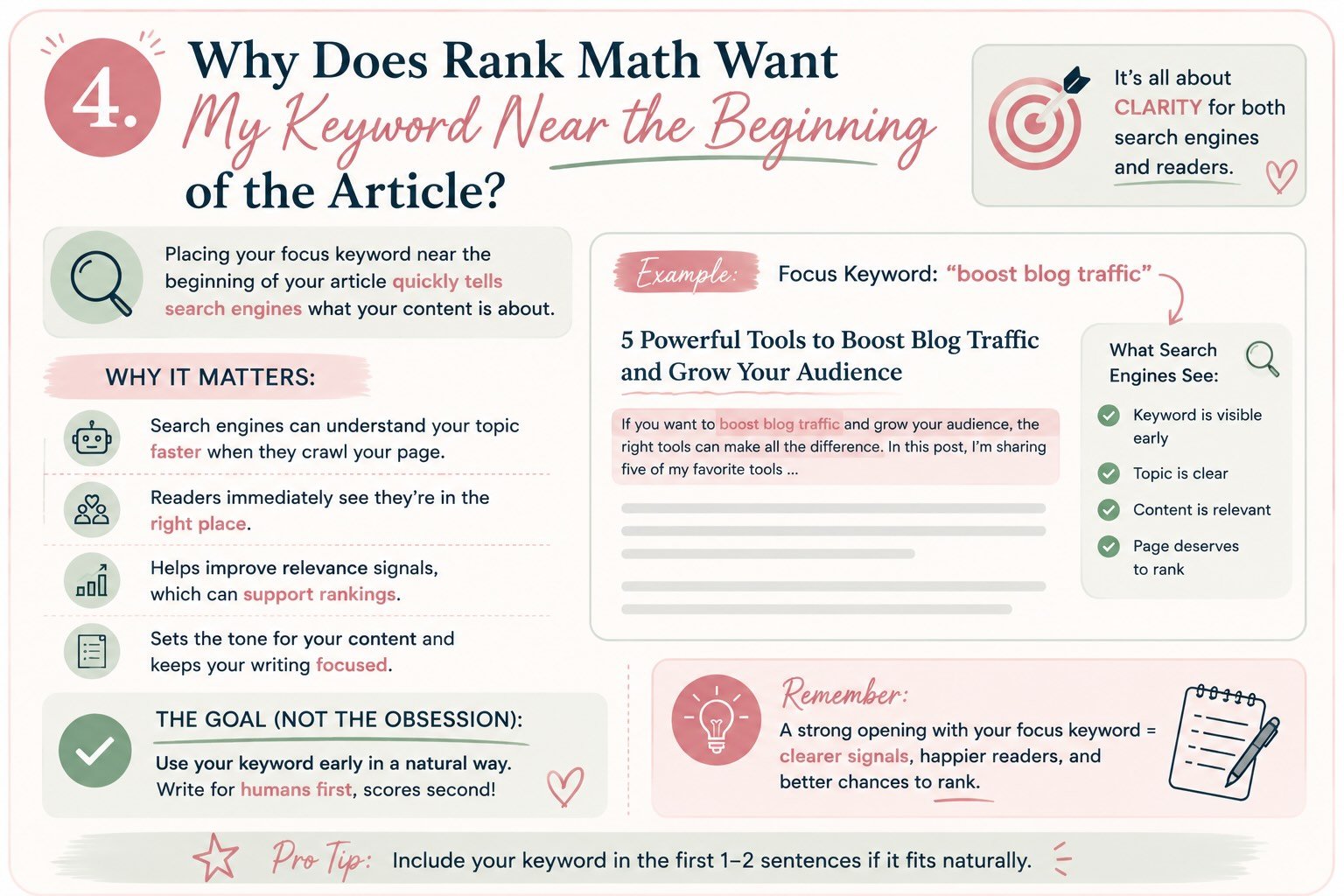
Here’s another Rank Math recommendation that used to make me wonder if Google had some secret stopwatch running:
Your focus keyword doesn’t appear in the first 10% of your content.
Okay…
Why 10%?
What happens if it’s at 11%?
Does Google stop reading? 😂
Of course not.
This is another perfect example of why I think it’s more useful to understand what Rank Math is trying to accomplish than to blindly follow the score.
The real lesson isn’t:
Your exact keyword must appear before an arbitrary word count.
It’s much simpler:
Don’t make readers—or search engines—work unnecessarily hard to figure out what your article is about.
Think About It From Your Reader’s Perspective
Imagine you search for:
how to boost blog traffic
You click an article and the introduction starts:
When I was growing up, I’ve always loved writing. I remember sitting at my grandmother’s kitchen table with a notebook…
Five paragraphs later, you’re still wondering:
Are we ever going to talk about blog traffic?
You’re probably gone.
Now compare that with:
If you’re trying to boost blog traffic, the answer isn’t simply publishing more content. You need a system for creating articles people are searching for, optimizing them for discovery, and consistently promoting them after you hit publish.
Immediately, you know:
I’m in the right place.
That’s what we’re trying to accomplish.
Why This Matters for SEO Too
Using clear language early in the page helps establish what the content is actually about.
Google’s SEO guidance encourages creators to think about the words people might use to find their content and to use descriptive language in prominent places. Google SEO Starter Guide
But here’s the distinction I want to keep making throughout this guide:
“Make your topic clear early” is good advice.
“Google requires your exact keyword within the first 10% of your article” is not the same claim.
Rank Math needs measurable rules to create a score.
A percentage gives the plugin something concrete to test.
We need to understand the principle behind the test.
Does the Exact Keyword Have to Appear in the First Sentence?
No.
And please don’t ruin a great opening trying to make that happen.
If it fits naturally, wonderful.
For example, our keyword research article could begin:
Keyword research for bloggers can sound much more complicated than it actually is.
Perfectly fine.
But remember how we actually opened that article?
We started with:
If there’s one lesson I wish I had learned sooner as a blogger, it’s this: Not every great idea makes a great blog post.
I like that opening much better.
It creates curiosity.
Then we naturally introduce keyword research as we explain the problem.
I’m not willing to sacrifice that connection with the reader simply because moving the exact phrase 75 words earlier gives me another green check.
There’s a Difference Between Delaying the Keyword and Delaying the Topic
This was another big realization for me.
Those aren’t the same thing.
My exact focus keyword might not appear immediately.
But the topic absolutely should.
If I’m writing about keyword research, my opening might discuss:
- Choosing blog topics
- What readers search for
- Creating content people want
- Organic traffic
- Understanding your audience
Even before I use the exact phrase keyword research for bloggers, we’re clearly moving toward the subject.
That’s very different from spending 500 words talking about something unrelated before finally revealing why the reader is there.
That’s the standard I care about.
Not:
Did I use my keyword by word #247?
But:
Does my reader understand why they’re here?
✨ From My Workflow
When Rank Math tells me my focus keyword isn’t appearing early enough, I don’t immediately paste it into the first paragraph.
I reread my introduction.
Then I ask myself:
Is the topic obvious?
Does the opening match the promise I made in my title?
Would someone who found this through Google immediately know they’re in the right place?
Is there a natural place to use the focus keyword?
If the answer to that last question is yes, I’ll add it.
Sometimes Rank Math catches something genuinely useful.
Maybe I wrote:
This process completely changed how I plan content.
And changing it to:
This keyword research process completely changed how I plan content.
actually makes the sentence clearer.
Fantastic.
That’s exactly the kind of SEO recommendation I want.
🚫 What I Don’t Want Us Doing
I don’t want us taking an opening like:
If there’s one lesson I wish I had learned sooner as a blogger, it’s this: Not every great idea makes a great blog post.
and turning it into:
Keyword research for bloggers is important for bloggers who want to learn keyword research for their blogs.
Congratulations.
Rank Math is thrilled.
Everyone else has left the website. 😂
That’s the trade-off we’re learning to recognize.
💡 My Rule for Introductions
I’ve started thinking about introductions this way:
Hook them.
Give them a reason to keep reading.
Orient them.
Make it clear what we’re talking about.
Promise them something.
Tell them what they’ll understand, solve, or be able to do by the end.
And somewhere in that process, if our focus keyword fits naturally?
Use it.
That’s a much better framework than counting words until we’ve reached 10%.
So, Should I Care About This Rank Math Test?
Yes—but not because of the 10%.
I care because if I’ve written hundreds of words and still haven’t clearly communicated the subject of my article, Rank Math may have caught a real problem.
That’s useful feedback.
If the topic is already crystal clear, the introduction is strong, and inserting my exact keyword earlier would make the writing worse?
I’ll accept the orange indicator.
Remember:
We’re optimizing the article—not the score.
💛 What Rank Math Is Really Teaching Us
This is another one of those recommendations that sounds technical but is ultimately rooted in something very human.
Someone searched for help.
They chose your article.
Now reassure them that they made the right choice.
You don’t need to beat them over the head with your keyword.
You simply need to make the connection between:
What they searched
↓
What you promised
↓
What they’re about to learn
as clear as possible.
That’s good SEO.
But more importantly?
That’s good writing.
5. Why Does Rank Math Care About My URL?
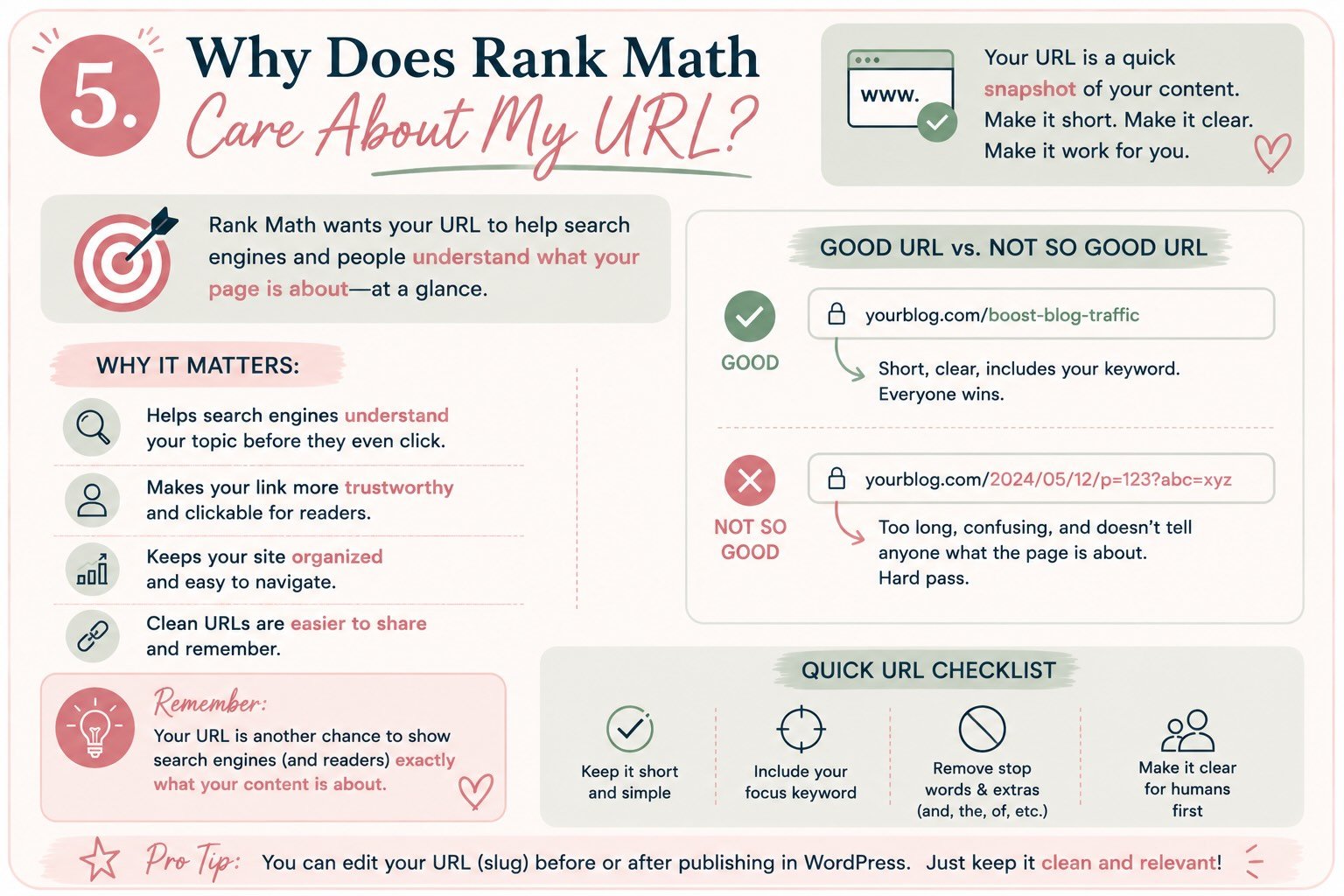
Here’s another Rank Math check that seems simple on the surface:
Focus Keyword used in the URL.
Easy enough, right?
Put the keyword in the URL. Get another green check. Move on.
Except there’s actually a useful SEO principle hiding behind this recommendation—and one pretty important warning if your article has already been published.
Let’s start with what Rank Math is really checking.
First, What’s a URL Slug?
When you publish a WordPress post, it gets its own URL.
For example, this article might live at:
creatingfromchaos.com/rank-math-seo-score/
The part after the domain—
rank-math-seo-score
—is commonly called the URL slug.
WordPress will often generate one automatically from your article title, but that doesn’t mean you have to keep whatever it creates.
And I usually don’t.
Why Does Rank Math Want the Keyword There?
Think about these two URLs:
creatingfromchaos.com/?p=8472
versus:
creatingfromchaos.com/rank-math-seo-score/
Without even opening the pages, which one gives you a better idea of what you’re about to read?
The second.
That’s the basic principle.
A descriptive URL provides another piece of context about the page.
Google recommends using simple, descriptive URLs that are understandable to people and specifically suggests using readable words rather than long strings of identifiers where possible. Google’s URL structure guidance
So if my focus keyword fits naturally into a short, descriptive URL?
Great.
That’s another Rank Math recommendation I’m usually happy to follow.
But Your URL Doesn’t Need to Be Your Entire Blog Title
This is where WordPress can get a little carried away. 😂
Let’s say my article title is:
From Chaos to Clicks: Rank Math Made Simple: What Your SEO Score Really Means—and How to Optimize a Blog Post Without Chasing 100
WordPress could potentially turn that into something resembling:
/from-chaos-to-clicks-rank-math-made-simple-what-your-seo-score-really-means-and-how-to-optimize-a-blog-post-without-chasing-100/
No thank you.
Instead, I might choose:
/rank-math-seo-score/
or:
/rank-math-seo-score-explained/
It’s shorter.
It’s readable.
It communicates the topic.
And I don’t need to change it every time I tweak the article title.
💡 This Is Why I Don’t Put Dates in Most Evergreen URLs
Imagine I published this article as:
/rank-math-seo-score-2026/
That might make sense if the year itself is important to the search intent.
But what happens when I update the article in 2027?
Now I either have an outdated-looking URL or I have to consider changing it.
For evergreen content, I’d rather create a URL that can grow with the article:
/rank-math-seo-score/
Then I can update the title, screenshots, recommendations, and content without the URL becoming obsolete.
That’s especially important for what we’re building with From Chaos to Clicks, because I want these articles to become living resources that we continue improving—not disposable posts we replace every year.
🚨 But Please Don’t Change an Existing URL Just to Make Rank Math Happy
This is the part I really wish SEO plugins screamed a little louder about.
Let’s say you published an article two years ago.
Its URL is:
/my-blogging-tools/
Now you’re optimizing the post and Rank Math tells you your focus keyword isn’t in the URL.
You think:
Easy fix!
And change it to:
/best-blogging-tools/
Green check. 🎉
Except the old URL may already have:
- Google rankings
- Backlinks from other websites
- Internal links
- Pinterest pins
- Social shares
- Bookmarks
- Email links
- Search-engine history
Those links are still pointing to the old address.
If you change a URL without properly redirecting the old one, visitors—and search engines—can end up at a page that no longer exists.
Your little SEO improvement just created a much bigger SEO problem.
What Is a 301 Redirect?
A 301 redirect essentially tells browsers and search engines:
This page permanently moved. Here’s its new address.
So someone visiting:
/my-blogging-tools/
is automatically sent to:
/best-blogging-tools/
Google specifically recommends using permanent server-side redirects such as 301 or 308 redirects when a URL permanently changes. Google’s guidance on redirects
Rank Math also includes redirection functionality, which can be useful when you intentionally need to change a URL. Rank Math’s redirections guide
But here’s my much simpler rule:
If an existing URL is working, I need a better reason to change it than “Rank Math gave me an orange dot.”
✨ From My Workflow
For a new article, I check the URL before I publish.
I’m usually looking for four things:
Is it short?
Is it descriptive?
Does my focus keyword—or a natural version of it—fit?
Will this URL still make sense a few years from now?
If yes, I’m done.
For an existing article, however, my thinking changes completely.
Before changing the URL, I want to know:
Is there actually something wrong with it?
If the answer is no, I usually leave it alone.
If there’s a legitimate reason to change it, then I make sure the old URL properly redirects to the new one.
That’s very different from blindly optimizing every old URL because an SEO plugin suggested it.
🚫 Common Mistake: Over-Optimizing the Slug
We don’t need this:
/rank-math-seo-score-rank-math-seo-plugin-improve-rank-math-score/
😂
Remember what we learned about keyword stuffing?
The URL isn’t a loophole.
Keep it simple.
For this article:
Good:
/rank-math-seo-score/
Also good:
/rank-math-seo-score-explained/
Unnecessary:
/from-chaos-to-clicks-complete-rank-math-seo-score-guide-for-bloggers-2026/
The goal isn’t to fit every possible keyword into the address.
The goal is to create a stable, understandable home for the article.
💛 So, Does This Rank Math Check Matter?
For a new post?
Yes. I think it’s useful.
If Rank Math reminds me that I accidentally published with a meaningless or unnecessarily complicated URL, I’m glad it caught it.
But this is another place where understanding the recommendation matters more than earning the point.
Rank Math sees:
Focus keyword isn’t in URL.
I want you to see:
Is this URL descriptive, readable, stable, and appropriate for this page?
Those are much better questions.
Because ultimately, we’re not creating URLs for Rank Math.
We’re building a website that needs to make sense to people, search engines, and hopefully us three years from now when we’ve completely forgotten why we named something what we did. 😂
URL Best Practices
Next: 6. Why Does Rank Math Want My Keyword in My Headings?
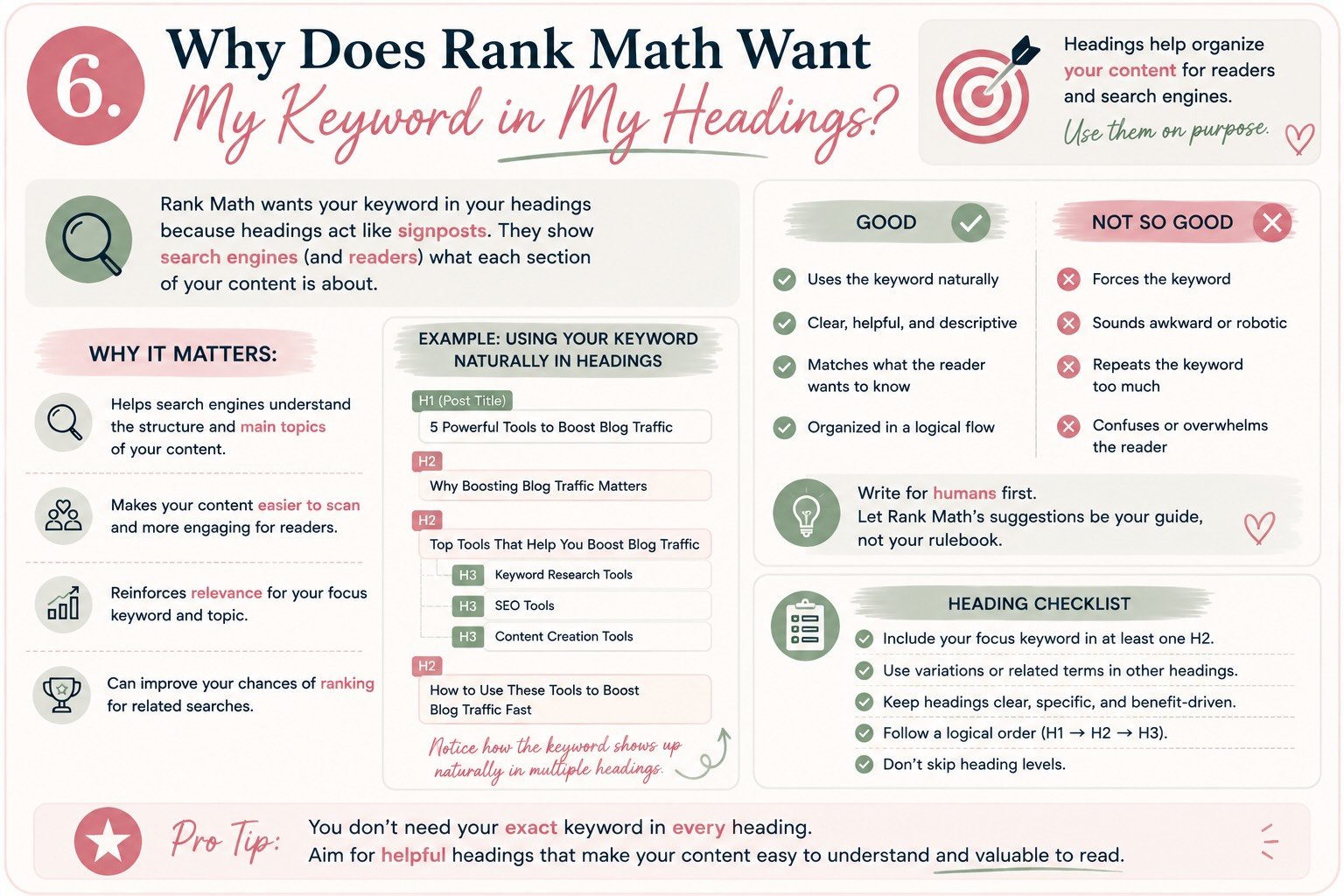
By this point, you may be noticing a pattern.
Rank Math really likes knowing exactly what your article is about. 😂
We’ve already talked about using your focus keyword in your title, introduction, URL, and naturally throughout your content.
Then Rank Math asks you to use it in your subheadings too.
And once again, my first question was:
Why?
If I’ve already made the topic perfectly clear, does putting the same phrase in an H2 actually accomplish anything?
The answer comes down to understanding what headings are really for.
First: What Are H1, H2, and H3 Headings?
Headings create the structure of your article.
Think of them like the outline you probably created before you started writing.
Your H1 is generally your main page or post title.
Then your H2s divide the article into its major sections.
Your H3s divide those sections into smaller ideas.
For example, this article might look something like:
H1: Rank Math SEO Score Explained: What Actually Matters
H2: What Actually Drives Your Rank Math Score?
H2: Why Does Rank Math Care About Keyword Density?
H2: Why Does Rank Math Want My Keyword in My Headings?
H3: What Are H1, H2, and H3 Headings?
H3: Does Every Heading Need My Keyword?
See what’s happening?
Even if you only skimmed those headings, you’d have a pretty good idea what this article is teaching.
That’s exactly what good headings should do.
Headings Are Primarily for Your Reader
This is the part I don’t want us to lose while we’re talking about SEO.
Most people don’t read blog posts from beginning to end like they’re reading a novel.
They scan.
Especially when they arrive from search looking for a specific answer.
Someone might land on this 3,000-word guide because they only want to know:
Why is Rank Math telling me my keyword density is too low?
They’re probably not going to read 2,000 words before reaching that answer.
They’re going to scroll.
Your headings help them find it.
And that’s why I want headings that actually describe what’s underneath them, rather than vague headings written purely for style.
Why Does Rank Math Care?
Headings also provide structure and context around your content.
Google recommends using informative, relevant headings and organizing content into logical sections so readers can navigate it more easily. Google’s SEO Starter Guide
So if my focus keyword naturally belongs in a heading, using it can reinforce what that particular section is about.
For example, if my focus keyword is:
Rank Math SEO score
an H2 like:
How Is Your Rank Math SEO Score Calculated?
makes perfect sense.
The keyword belongs there because that’s genuinely what the section discusses.
Great.
Rank Math gets its green check.
My reader gets a useful heading.
Everyone’s happy.
Does Every H2 Need My Focus Keyword?
Absolutely not.
Please don’t do this:
What Is a Rank Math SEO Score?
Why Does a Rank Math SEO Score Matter?
How to Improve Your Rank Math SEO Score
Rank Math SEO Score and Keyword
Rank Math SEO Score and Internal Links
Rank Math SEO Score and Images
Rank Math SEO Score FAQs
By the fourth heading, I’m exhausted. 😂 And more importantly, we’ve started writing for a plugin instead of a person.
Remember what we learned about keyword density:
Repetition isn’t the goal. Clarity is.
The same principle applies here.
Related Language Can Make Your Headings Better
Let’s look at the headings we’ve actually been creating for this article:
Why Does Rank Math Want My Keyword Near the Beginning?
Why Does Rank Math Care About My URL?
Why Does Rank Math Want My Keyword in My Headings?
Those don’t contain our exact focus keyword every time.
But together they make the subject incredibly clear.
We’re naturally discussing:
- Rank Math
- SEO
- Focus keywords
- Keyword density
- URLs
- Headings
- Search intent
- Optimization
That’s how humans communicate.
We don’t repeat the exact same phrase every time we discuss a topic.
We use related language to explain the idea completely.
💡 Here’s a Test I Like Better Than the Rank Math Test
Look at only the headings in your article.
Ignore everything underneath them.
Now ask:
Could someone understand the basic structure and purpose of this article just by scanning these headings?
If the answer is yes, you’ve probably done a pretty good job.
If your headings look like:
Introduction
More Information
Things to Consider
Other Tips
Final Thoughts
…we may have an opportunity to improve them.
Those headings aren’t necessarily wrong, but they don’t tell the reader much.
Compare:
Things to Consider
with:
Should You Change an Existing URL for SEO?
The second one actually helps someone navigate the article.
And notice—we improved the heading without stuffing our focus keyword into it.
✨ From My Workflow
Once my first draft is finished, I sometimes scroll through the article without reading the body copy.
I look only at my H2s and H3s.
I’m checking:
Do they follow a logical progression?
Do they clearly describe each section?
Are any of them repetitive?
Could someone scanning the page quickly find what they need?
Does my focus keyword naturally belong in one or two of them?
That last question is intentionally last.
Because I’m not building my headings around Rank Math.
I’m building them around the reader.
Then I’m looking for opportunities where SEO and readability naturally overlap.
🚫 Common Mistake: Changing a Great Heading for a Green Check
Let’s say I wrote:
Stop Chasing the Perfect Score
I love that heading.
It’s short.
It makes a point.
It fits the voice of the article.
But perhaps Rank Math would be happier with:
Stop Chasing the Perfect Rank Math SEO Score
Would I change it?
Maybe.
If the second version still sounds natural and gives the reader more context, that’s actually a reasonable optimization.
But if I had a heading where adding the exact keyword made it clunky?
I’d leave it alone.
That’s the judgment we’re learning to make throughout this entire article.
What About the H1?
Your H1 deserves a little extra attention because it’s generally the primary visible heading identifying the page.
In WordPress, your post title will commonly serve this role depending on how your theme or page builder is configured.
I generally want one clear main H1 that accurately describes the page, followed by H2s and H3s that create a logical hierarchy underneath it.
Google’s documentation notes that semantic heading order can be helpful for screen readers, although perfectly sequential heading order itself isn’t a Google Search ranking requirement. Google’s heading guidance
And that distinction fits our philosophy perfectly:
Something can be a good web practice without being a magical ranking factor.
Accessibility matters.
Readability matters.
Organization matters.
We don’t need an algorithmic reward before something becomes worth doing.
💛 What Rank Math Is Really Asking
When Rank Math checks whether your keyword appears in your headings, don’t interpret that as:
I need to put this exact phrase into more H2s.
Translate it into:
Does the structure of my article reinforce what this page is actually about?
That’s a much more useful question.
Use your focus keyword where it genuinely describes the section.
Use related language everywhere else.
Write headings that help readers navigate.
And if Rank Math still wants one more exact-match heading after you’ve created a clear, logical, helpful article?
You know what I’m going to say by now.
We’ll survive the orange dot. 😂
Because a perfectly optimized heading that annoys your reader isn’t actually perfectly optimized.
Google's SEO Starter Guide
7. Why Does Rank Math Care About Internal Links?
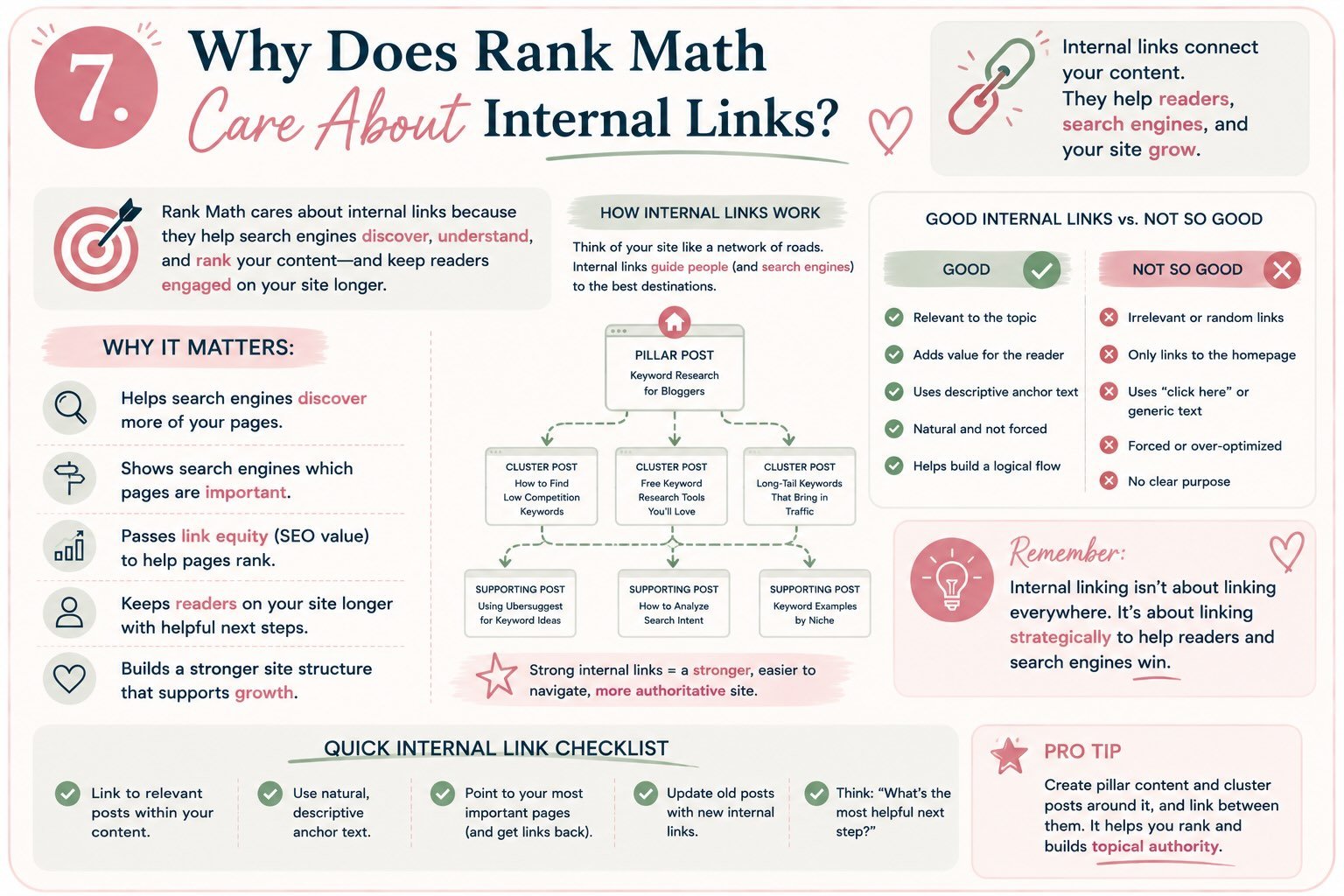
We’ve reached one of the Rank Math recommendations I take pretty seriously:
Add internal links to your content.
Unlike keyword density, where I’m perfectly willing to ignore Rank Math if another keyword mention makes my writing sound ridiculous, internal linking is something I almost always check before publishing.
Because internal links do much more than improve an SEO score.
They help turn a collection of individual blog posts into an actual website.
First, What Is an Internal Link?
An internal link simply connects one page on your website to another page on the same website.
For example, earlier in this From Chaos to Clicks series, we published:
Keyword Research for Bloggers: How I Find Blog Topics People Are Actually Searching For
When I mention keyword research in this article, I can link those words directly to that guide.
That’s an internal link.
Compare that with linking to Google Search Central or Rank Math’s documentation.
Those links take readers away from Creating From Chaos, so they’re external—or outbound—links.
Both can be useful.
They simply serve different purposes.
Why Internal Links Matter for Readers
Let’s forget Google for a second.
Imagine someone discovers this Rank Math article because they searched:
Why is my Rank Math score only 78?
They start reading and eventually realize:
“Wait. I’m not even sure I chose the right focus keyword.”
I could briefly explain keyword research again.
Or I could say:
If choosing a focus keyword still feels confusing, start with my complete guide to keyword research for bloggers, where I walk through how I find topics people are actually searching for before I ever begin optimizing a post.
Now the reader has somewhere useful to go.
I’m not forcing them to search my website.
I’m not making them hunt through my menu.
I’m anticipating their next question and saying:
“I already made something that can help you with that.”
That’s the kind of internal linking I want.
Why Internal Links Matter for Search Engines
Internal links also help search engines discover and understand the pages on your website.
Google explains that links are an important way it discovers new pages and recommends making links crawlable and using descriptive anchor text so people and Google can understand the relationship between linked pages.
That means we’re accomplishing two things at once.
We’re helping readers navigate.
And we’re helping search engines understand how our content fits together.
That’s where internal linking starts becoming much more strategic.
This Is How We Build Topical Authority
This is probably my favorite part.
Remember our original pillar article?
5 Powerful Blogging Tools That Will Boost Your Blog Traffic
That article introduced:
ChatGPT
↓
Keyword Research
↓
Rank Math
↓
↓
Kit
Then we started creating individual deep-dive articles for each topic.
So now our site begins looking something like this:
5 Powerful Blogging Tools That Will Boost Your Blog Traffic
↕️
How I Use ChatGPT to Create Better Blog Content
↕️
Keyword Research for Bloggers
↕️
Understanding Your Rank Math SEO Score
↕️
Pinterest for Bloggers
↕️
Building an Email List With Kit
These aren’t six unrelated blog posts.
They’re connected pieces of a larger topic.
Each article answers a different question while naturally leading readers toward the next one.
That’s a content cluster.
And internal links are what physically connect that cluster.
Your Anchor Text Matters Too
Here’s another term that sounds more complicated than it is.
Anchor text is simply the clickable text you attach the link to.
So instead of writing:
To learn about keyword research, click here.
I’d rather write:
Read my complete guide to keyword research for bloggers.
The words keyword research for bloggers tell the reader exactly what they’ll find if they click.
That’s useful.
Google also recommends writing descriptive, concise, relevant anchor text instead of generic phrases that don’t tell readers anything about the destination. Google’s link best practices
Once again:
Good SEO overlaps with good user experience.
I’m noticing a theme here. 😂
🚫 Don’t Turn Internal Linking Into Another Keyword-Stuffing Exercise
Naturally, once bloggers learn that descriptive anchor text is useful, there’s a temptation to take it too far.
If our target page is about keyword research for bloggers, we don’t need every link pointing to it to use that exact phrase.
We can naturally say:
- keyword research for bloggers
- my keyword research guide
- finding blog topics people search for
- choosing the right keyword
- my complete keyword research process
They all tell readers something meaningful about the destination.
We’re creating context.
We’re not trying to manipulate an exact-match counter.
✨ From My Workflow
Internal linking is now part of my pre-publish checklist.
Before I publish an article, I ask:
What have I already written that would genuinely help this reader?
Then I flip the question:
Which older articles should link to this new one?
That second question is easy to forget.
Let’s say I publish this Rank Math guide today.
Of course I want this article linking backward to my keyword research guide.
But I also want to go back to my original blogging-tools pillar post and update the Rank Math section with:
Ready to understand what your SEO score actually means? Read my complete guide to understanding your Rank Math SEO score.
Then I can return to my keyword-research article and add:
Once you’ve chosen your target keyword, the next step is optimizing your blog post for search.
Now the connection works in multiple directions.
That’s much more powerful than simply dropping three random internal links into a new article because Rank Math told me I needed some.
💡 The Internal-Link Question I Want Us to Start Asking
Instead of:
How many internal links should this article have?
I prefer:
Where might my reader naturally need more help?
That question creates much better links.
If we’re talking about choosing keywords?
Link to keyword research.
If we’re talking about generating blog ideas?
Link to ChatGPT.
If we’re talking about promoting the finished article?
Link to Pinterest.
If we’re talking about capturing readers once they arrive?
Link to Kit.
Every link becomes a next step.
What About Orphan Pages?
Here’s another reason internal linking matters.
An orphan page is essentially a page that doesn’t have internal links pointing to it—or is otherwise poorly connected to the rest of your site.
Imagine writing an incredible 3,000-word guide, publishing it…
…and then never linking to it from anything else you’ve written.
Poor little blog post. 😂
It’s sitting out there by itself.
As your content library grows, I want every important article connected to the larger structure of the website.
That’s another reason our Continue Your Journey sections are becoming so useful.
They’re not just pretty navigation boxes.
They’re deliberately connecting related content.
Do More Internal Links Mean Better SEO?
Not automatically.
And this is important.
I don’t want us adding links simply because:
More links = more SEO.
If every other sentence is linked, the article becomes distracting and less useful.
The goal isn’t to create the largest number of internal links possible.
It’s to create meaningful pathways through your content.
One thoughtful link that answers the reader’s next question is worth far more to me than five random links added to satisfy a checklist.
💛 So, Does This Rank Math Check Matter?
For this one?
Yes.
Not because Rank Math gives us points for adding an internal link.
Because if I’ve written an article and can’t find a single relevant page on my own website worth connecting to it, that’s something I want to notice.
Rank Math is reminding me to ask:
Where does this article belong within the larger story my website is telling?
That’s a fantastic question.
And the bigger our content library becomes, the more important that question gets.
We’re not trying to collect hundreds of disconnected blog posts.
We’re building a resource where someone can arrive with one question…
find an answer…
discover the next question…
and keep learning.
That’s what internal linking should accomplish.
Googles Link Best Practices
8. Why Does Rank Math Want External Links?
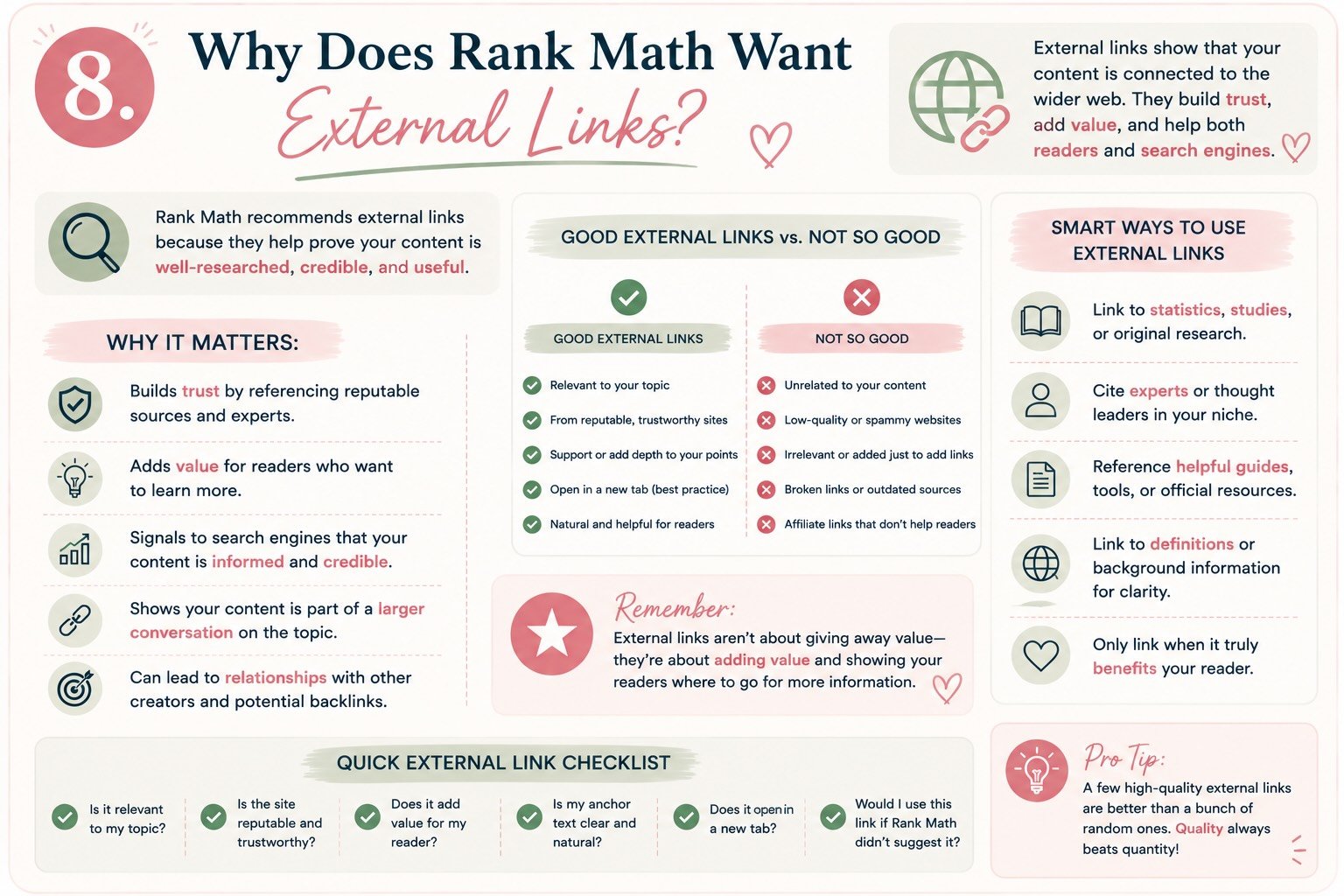
This recommendation felt a little backward to me at first.
We’ve just spent all this time talking about getting people to our website.
We’re creating content.
Optimizing it for search.
Building internal links.
Trying to keep readers engaged.
And now Rank Math wants me to deliberately send them to someone else’s website?
Why would I do that? 😂
The answer is actually pretty simple.
Sometimes another website has information, documentation, research, or a tool that genuinely helps my reader.
And if linking to it makes my article more useful?
That’s a good link.
First, What’s an External Link?
An external link, or outbound link, takes someone from your website to a page on a different website.
Throughout this article, for example, I’ve linked to resources from Rank Math and Google.
Those are external links.
If I link from this article to my own Keyword Research for Bloggers guide, that’s an internal link.
The distinction is easy:
Internal link: another page on your website.
External link: a page on another website.
But what’s more important is understanding why we’d use either one.
External Links Aren’t About Checking an SEO Box
This is where I want to challenge the way we sometimes think about outbound links.
When I’m finishing an article, I don’t want to ask:
Have I added enough external links for SEO?
I want to ask:
Have I made claims that would benefit from a trusted source, or is there another resource that would genuinely help my reader?
That’s a much better standard.
For example, earlier in this article I told you that Google recommends using simple, descriptive URLs.
Rather than asking you to take my word for it, I linked directly to Google’s documentation.
When we discussed keyword stuffing, I linked to Google’s spam policies.
When I explained how Rank Math evaluates content, I linked to Rank Math’s own documentation.
Those links have a purpose.
They’re not decorations.
They’re evidence and additional resources.
Think “Trusted Resources,” Not “Outbound Links”
This little mindset shift has completely changed how I approach external links.
I used to think:
I need an outbound link here.
Now I think:
What trusted resource would make this section more useful?
Sometimes that’s Google.
Sometimes it’s original research.
Sometimes it’s the official documentation for a tool I’m discussing.
Sometimes it’s a genuinely excellent article that explains something beyond the scope of what I’m teaching.
And sometimes?
There doesn’t need to be an external link at all.
I’m not going to force one into a paragraph just because an SEO plugin wants another checkmark.
Does Linking to Another Website Help My Rankings?
This is where I want to be careful, because there’s a lot of oversimplified SEO advice floating around.
You may hear claims like:
“Linking to high-authority websites boosts your rankings.”
That’s not how I want us thinking about this.
Google’s own SEO guidance says links can provide context and connect readers to resources that corroborate what you’re writing. It also encourages linking to relevant resources when doing so makes sense. Google’s SEO Starter Guide
But I’m not linking to Google simply because Google is a giant website and I’m hoping some authority magically rubs off on Creating From Chaos. 😂
I’m linking because Google is the primary source for a claim I’m making about Google Search.
That’s a much stronger reason.
Primary Sources Are Usually My First Choice
This has become an important part of my own content process.
If I’m explaining how a particular tool works, I try to link to the company that created it.
Talking about Rank Math?
I’ll use Rank Math’s official documentation.
Talking about Google Search?
I’ll look at Google Search Central.
Talking about WordPress?
I’ll look for the relevant documentation from WordPress.org.
That doesn’t mean I never link to independent bloggers, publications, or other experts.
Of course I do.
Sometimes another creator has an incredible tutorial, original study, case study, or perspective that adds something valuable.
But if I’m making a factual statement about how a product or platform works, I generally want to see what the source itself says first.
What About Competitors?
This is an interesting one.
Let’s say another blogger has published an incredible study that’s directly relevant to what I’m writing.
Do I avoid linking to it because they’re another blogger?
No.
If their work genuinely supports what I’m saying or gives my reader something useful that I haven’t provided, I’ll consider linking to it.
My goal isn’t to trap readers inside Creating From Chaos.
My goal is to make Creating From Chaos a place they trust.
Those are two very different strategies.
I would much rather have someone think:
Kali always points me toward genuinely useful information.
than:
Why didn’t she link to the study she’s talking about?
Trust is worth more than one extra pageview.
What About Affiliate Links?
Now we need an important distinction.
Sometimes an external link exists because I’m recommending a product or service and I may receive compensation if someone purchases through that link.
That’s completely okay.
But those relationships should be disclosed appropriately, and search engines may also need additional information about the nature of the link.
Google recommends using the rel="sponsored" attribute for paid links and affiliate relationships, while nofollow remains acceptable in some circumstances. Google’s guidance on qualifying outbound links
And from the reader’s perspective?
Transparency comes first.
If I may make money from a recommendation, I want you to know that.
That doesn’t mean I can’t genuinely love the product.
It means you deserve to understand the relationship.
What Are Nofollow and Sponsored Links?
This is another one of those SEO terms that sounds scarier than it is.
Most normal editorial links don’t require you to do anything unusual.
You’re simply linking to a useful resource.
But there are situations where you may want to tell search engines more about the relationship.
Sponsored is generally used when there’s compensation involved, such as an advertisement, sponsorship, or affiliate arrangement.
Nofollow can be used when you don’t want to associate your site with the linked page in the normal way or in certain situations where another link qualification isn’t appropriate.
Google also supports UGC for user-generated content, such as links added in comments or forum posts. Google’s outbound-link qualification guide
You don’t need to panic about these every time you create a hyperlink.
But once you’re monetizing a blog, they’re worth understanding.
✨ From My Workflow
When I’m reviewing an article before publishing, I don’t count outbound links.
Instead, I look at the content and ask:
Did I make any claims that should be supported?
Is there a primary source I can link to?
Did I mention a tool or resource readers may want to explore themselves?
Would another article genuinely deepen their understanding?
Am I linking to something because it’s useful—or because I’m trying to satisfy Rank Math?
That last question usually tells me what I need to know.
🚫 Common Mistake: Adding Random “Authority” Links
Please don’t finish an article and think:
I need three high-authority outbound links.
Then randomly link the words:
marketing → Forbes
business → Harvard
SEO → Google
😂
A big website isn’t automatically a relevant source.
The destination should actually help support, verify, or expand upon what you’re saying.
I’d rather have two excellent, highly relevant external links than ten impressive-looking ones that add nothing to the article.
💡 My Linking Rule
This has become the easiest way for me to think about both internal and external links:
Internal links answer:
“What else have I created that could help you?”
External links answer:
“What trusted resource could help you beyond what I’ve created?”
That’s it.
Neither one exists just to earn SEO points.
They’re both part of creating a better resource.
And Yes—Sometimes Sending Someone Away Can Bring Them Back
This might sound counterintuitive.
But I don’t think the goal should be keeping someone on your website at all costs.
I want readers to trust that when I recommend something, there’s a reason.
If I point them toward an excellent Google resource today, maybe they leave my site for five minutes.
That’s okay.
Because hopefully they remember:
Creating From Chaos helped me understand this.
That’s the relationship I’m trying to build.
Not one click.
Trust.
And trust is what eventually turns a random Google visitor into someone who comes back intentionally.
💛 So, Does This Rank Math Check Matter?
Yes—but once again, not because an external link magically earns rankings.
I care about this check because it reminds me to consider whether I’ve created a well-supported, genuinely useful resource.
If I have a natural opportunity to send someone to primary documentation, original research, or another valuable resource?
I’ll link it.
If I don’t?
I’m not going to shoehorn in a random link for a green indicator.
Rank Math is asking:
Did you include an external link?
I’m asking:
Did I give my reader the best information and resources I reasonably could?
That’s the question that matters more.
🔗 Trusted Resources
9. The Rest of the Rank Math Score: What I Check Before Publishing
At this point, I think we’ve established something important:
Not every Rank Math recommendation deserves a 600-word existential crisis.
Although apparently I needed several of them before I figured that out. 😂
Some recommendations really do need context—like keyword density, headings, and internal links.
Others are much simpler.
They’re the final details I want to check before publishing because they improve accessibility, search visibility, readability, or the overall experience of the article.
So rather than overcomplicating them, let’s run through the remaining pieces.
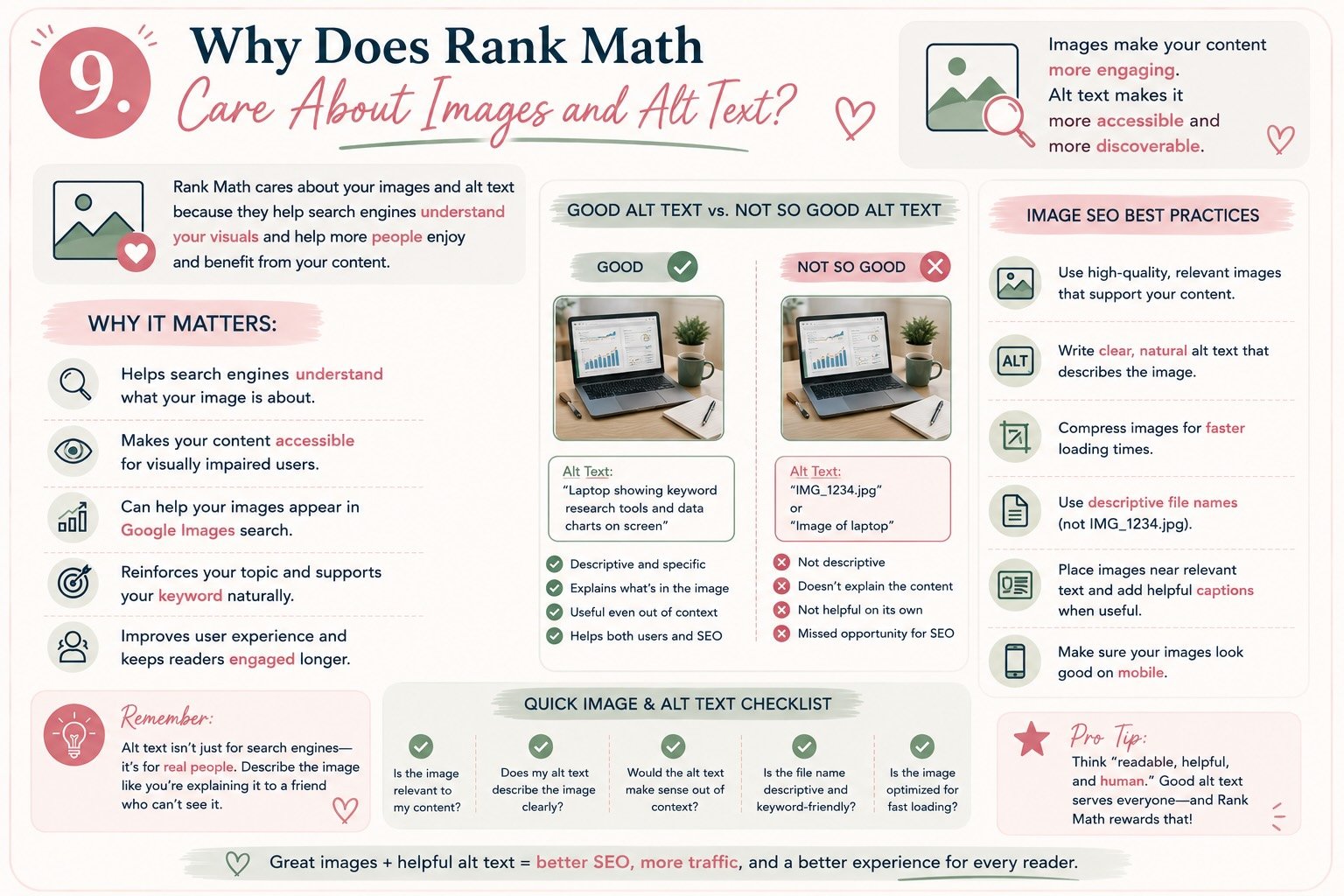
Images & Alt Text: Describe the Image, Don’t Stuff the Keyword
Rank Math may check whether your focus keyword appears in image alt text.
But before we talk about SEO, there’s something much more important to understand:
Alt text exists primarily to describe an image when someone can’t see it.
That includes people using screen readers.
So if I have an infographic showing the factors that influence a Rank Math SEO score, alt text like this makes sense:
Infographic explaining the main factors that contribute to a Rank Math SEO score.
Our keyword fits because that’s actually what the image shows.
What I don’t want is:
Rank Math SEO score SEO Rank Math WordPress SEO score blogging SEO.
😂
That’s not useful to anyone.
Google recommends creating useful, descriptive alt text and warns against stuffing keywords into alt attributes. Google’s image SEO guidance
💡 My Rule
Describe the image accurately.
If your keyword naturally belongs in the description, great.
If it doesn’t, don’t force it.
Accessibility wins this one.
Meta Descriptions: Your Little Sales Pitch
Your meta description is the short description you provide to summarize what the page is about.
It may be used as the descriptive snippet underneath your title in search results, although Google can choose different text from the page when it believes that better matches a particular search. Google’s snippet guidance
That means I don’t think of the meta description as:
Where else can I fit my keyword?
I think of it as:
Why should someone choose this article?
For this post, we might write:
Confused by your Rank Math SEO score? Learn what actually drives the score, which SEO recommendations matter, and why you don’t need 100 to publish a great blog post.
We naturally used the focus keyword.
But more importantly, we told the reader exactly what they’ll get.
That’s the job.
Content Length: There Is No Magical Word Count
This one is particularly funny considering the article we’re currently writing. 😂
SEO tools often provide content-length recommendations, and longer articles sometimes make sense because complicated questions require detailed answers.
But that doesn’t mean:
Longer = better SEO.
Google explicitly says it doesn’t have a preferred word count. Google’s people-first content guidance
If I can completely answer someone’s question in 900 words, I don’t want to add 1,500 words of fluff simply because an SEO tool likes longer content.
On the other hand, if someone needs a comprehensive guide—and apparently wants to understand every psychological motivation behind Rank Math’s little green dots—sometimes we end up here. 😂
The goal isn’t a particular number.
The goal is completeness without unnecessary filler.
Write until you’ve answered the question.
Then stop.
Readability: Can Someone Actually Use This Thing?
This is one of those areas where I care less about whether readability is a direct ranking factor and more about whether someone wants to read what I’ve created.
That’s why I use:
- Shorter paragraphs
- Clear H2 and H3 headings
- Bullet points where they’re helpful
- Bold text strategically
- Images and graphics to break up long sections
- Callout boxes
- A table of contents for longer guides
Look at this article.
It’s long.
Really long.
But you don’t have to read every single word to get value from it.
You can scan the headings, find “Why Does Rank Math Care About Internal Links?” and jump directly to the answer you need.
That’s intentional.
SEO brought someone here.
Usability helps them stay.
Table of Contents: Please Use One on Articles Like This
If your post is 800 words, you probably don’t need an elaborate table of contents.
This article?
Oh, we’re getting one.
A table of contents gives readers an immediate overview and lets them jump directly to the section they need.
For this article, ours might include:
- What Your Rank Math Score Actually Means
- Focus Keywords
- Keyword Density
- SEO Titles
- Keyword Placement
- URLs
- Headings
- Internal Links
- External Links
- Images & Alt Text
- Meta Descriptions
- My Pre-Publish SEO Checklist
- FAQs
That’s not just navigation.
It tells someone arriving from search:
Yep. The answer you’re looking for is probably in here somewhere.
Schema: The Invisible Part of SEO
Schema sounds intimidating because most of us hear it and immediately think:
Coding. Absolutely not. 😂
But the basic concept isn’t that scary.
Structured data is standardized information added to a page that helps search engines understand certain kinds of content more explicitly.
For example, structured data can describe things like:
- Articles
- Products
- Recipes
- Events
- Organizations
- Breadcrumbs
This is one area where using a good SEO plugin becomes especially helpful.
Rank Math can add and manage structured data without requiring me to manually write all of the underlying markup.
And this circles directly back to what I said at the beginning of this article.
This is why I pay for a good SEO tool.
Not because I need something to tell me whether I used my keyword eleven times.
I value it because SEO has a lot of moving pieces, and I’d rather have a tool helping me manage the technical pieces than try to remember and manually configure every single one myself.
Google has an entire structured data documentation library if you want to understand what happens behind the scenes.
But you don’t have to become a schema expert before publishing your first blog post.
That’s what the tool is there to help with.
📋 My Rank Math Pre-Publish Checklist
Okay.
After approximately 47 years of discussing Rank Math…
this is what I actually want you to save. 😂
Before I publish a blog post, I check:
CONTENT
☐ Does the article actually answer the searcher’s question?
☐ Is my focus keyword clear?
☐ Have I covered the topic thoroughly?
☐ Does the article include my own experience, examples, or perspective?
ON-PAGE SEO
☐ Focus keyword selected
☐ Keyword naturally included in the SEO title
☐ Topic established early in the introduction
☐ Short, descriptive URL
☐ Clear H1
☐ Logical H2/H3 structure
☐ Keyword used naturally throughout the article
☐ Meta description written
LINKS
☐ Relevant internal links added
☐ Older posts updated to link back to this new article
☐ Helpful trusted resources linked where appropriate
☐ Affiliate/sponsored links properly disclosed and qualified
IMAGES
☐ Images compressed/optimized
☐ Descriptive file names
☐ Useful alt text
☐ Featured image set
☐ Pinterest graphics created
USER EXPERIENCE
☐ Paragraphs easy to scan
☐ Table of contents added if needed
☐ Important ideas highlighted
☐ CTA included
☐ Mobile preview checked
FINAL CHECK
☐ Rank Math recommendations reviewed
☐ Any orange/red items understood
☐ Changes made where they genuinely improve the article
☐ Good writing not destroyed for the sake of getting 100
☐ Publish the damn thing. 😂
✨ From My Workflow
And that’s really what my process has become.
I use Rank Math throughout the optimization process.
I look at the score.
I absolutely try to improve it.
But instead of thinking:
How do I turn everything green?
I’m learning to ask:
Why is Rank Math recommending this?
If the answer is:
Because I forgot something important.
Fix it.
If the answer is:
Because this would make the article clearer or easier to find.
Fix it.
If the answer is:
Because there’s a legitimate technical SEO issue.
Definitely fix it.
But if the answer is:
Because Rank Math would like me to awkwardly repeat “Rank Math SEO score” for the seventeenth time…
We’re good. 😂
💛 The Biggest Thing I’ve Learned
When I started using an SEO plugin, I thought the goal was learning how to get a better score.
Now I think the real value is completely different.
A good SEO tool teaches you what to look for.
Eventually, you start noticing these things before the plugin tells you.
You think about search intent before writing.
You create cleaner URLs.
You naturally structure articles with useful headings.
You remember internal links.
You cite trusted resources.
You write better meta descriptions.
You optimize images.
And slowly, SEO stops feeling like this mysterious technical thing you do after writing.
It becomes part of how you create better content in the first place.
And that, more than any green circle or 100/100 score, is why I wouldn’t want to blog without a good SEO tool.
Frequently Asked Questions About Rank Math and SEO Scores
Rank Math generally uses its score as an optimization guide, with higher scores indicating that more of its recommended SEO checks have been completed.
But I don’t think there’s a magic number that determines whether a post is ready to publish.
I’d rather publish a genuinely useful, well-written article with an 85 than awkwardly rewrite it just to reach 100.
Use the score to identify things you may have missed. Then use your own judgment to decide which recommendations actually improve the article.
The goal is a better page—not a perfect score.
No.
Google doesn’t use your Rank Math score as a ranking signal. The score exists inside Rank Math to help you evaluate your content against the plugin’s SEO recommendations.
A 100/100 score doesn’t guarantee first-page rankings, and a page with a lower Rank Math score can absolutely perform well in search.
That’s one of the biggest reasons I wrote this guide.
Instead of asking:
How do I get 100?
I want us asking:
What is Rank Math recommending, why does it matter, and will making this change actually improve my page?
There’s no magic keyword-density percentage that guarantees better Google rankings.
Your primary keyword should naturally appear in your content because you’re actually discussing that topic, but repeating it simply to reach a particular percentage can make your writing unnatural.
Google explicitly warns against keyword stuffing, or excessively repeating words and phrases in an attempt to manipulate rankings. Google’s spam policies
I focus much more on thoroughly answering the topic and naturally using relevant terminology than hitting a particular keyword-density number.
There’s no universal number.
Instead, make sure the topic is clear and consider whether your focus keyword fits naturally in prominent places such as your SEO title, introduction, URL, an appropriate heading, and throughout the content.
Then write naturally.
If you’re rereading your article and suddenly noticing how many times you’ve repeated the exact same phrase, there’s a decent chance your reader will notice too. 😂
Clarity first. Counting second.
I don’t think there’s one SEO plugin that’s automatically best for every blogger.
Rank Math is what I personally use because I find the interface straightforward and like the features it gives me in one place.
But Yoast SEO, All in One SEO, and SEOPress are established alternatives worth considering.
I’d compare the features you’ll actually use, pricing, interface, and how much guidance you want.
More importantly:
Pick a good SEO tool and learn why it’s making its recommendations.
That’s much more valuable than continually switching plugins looking for the “perfect” one.
For me, yes—especially while I was learning.
You absolutely don’t need a paid SEO plugin to start blogging, and I wouldn’t tell someone to spend money they don’t have just because they’re starting a website.
But if I had to choose one type of blogging tool that I personally wouldn’t want to give up, it would be a good SEO tool.
The value isn’t simply getting a score.
It’s having something help me remember the many pieces involved in optimizing a post, manage more technical SEO tasks, and gradually teach me what I should be looking for myself.
I’d start with the features you actually need and compare Rank Math’s current free and paid offerings before deciding. Rank Math pricing and plans
Yes—but carefully.
Updating older content can be incredibly valuable. I would look for outdated information, weak titles, missing internal links, poor image descriptions, thin sections, outdated sources, and opportunities to better satisfy current search intent.
But don’t blindly change everything just because Rank Math identifies an issue.
I’m especially cautious about changing the URL of an existing post. If a URL needs to change, the old address should generally be redirected appropriately rather than simply disappearing.
Think:
Improve the existing resource.
Not:
Make every old Rank Math indicator green.
This is an area I’m paying much more attention to now.
Rank Math itself can’t guarantee that your content will appear in AI-generated answers, just as it can’t guarantee traditional Google rankings.
But many of the fundamentals we’re working on—clear content structure, crawlability, descriptive titles, internal linking, structured data, original experience, trustworthy sources, and genuinely useful answers—remain valuable as search evolves.
I found GAiO Engine’s guide to making websites visible in AI search particularly interesting because it frames AI visibility as something built on top of strong SEO fundamentals, rather than a reason to throw traditional SEO away.
And that’s probably the biggest takeaway from this entire guide:
Search will keep changing. Creating clear, useful, trustworthy content is still the foundation.
Okay, this isn’t necessarily an FAQ we need for search.
It’s the question I’d want answered after reading this whole monster of an article. 😂
My answer?
I want a score high enough that I’ve clearly done my optimization work.
But I don’t want a target number to become more important than the article.
If I’m sitting at 88 and Rank Math points out that I forgot an internal link?
I’m fixing it.
If I’m sitting at 92 and it reminds me that my meta description is missing?
Definitely fixing it.
If I’m at 94 and the only way I can get another point is by forcing my exact focus keyword into a sentence where it sounds ridiculous?
Congratulations, 94. You’re my final score. 😂
That’s the confidence I want this guide to give you.
Not the ability to get 100.
The ability to understand why you didn’t—and know when that’s completely okay.
Continue Your Journey
This article is part of From Chaos to Clicks, my growing series designed to help you take the confusion out of blogging and build something that’s truly yours—one post, one skill, and one step at a time.
You don’t need to master everything at once. Learn what you need for the step you’re working on now, put it into practice, and then keep building.
📚 Start Here: Build Your Blogging System
5 Powerful Tools That Will Boost Your Blog Traffic and Turn Your Blog Into a Traffic Machine
This is where the entire From Chaos to Clicks journey begins. I’ll walk you through the tools and strategies that have become part of my blogging workflow—and, more importantly, how they work together to help you create content, get it discovered, and build an audience.
🤖 Step 1: Create Better Content With AI
How I Use ChatGPT to Create Better Blog Content (Without Losing My Voice)
AI doesn’t have to replace what makes your content yours. See exactly how I use ChatGPT to brainstorm, research, organize ideas, strengthen content, and save time while keeping my own experiences and voice at the center of everything I publish.
🔎 Step 2: Find What People Are Actually Searching For
Keyword Research for Bloggers: How I Find Blog Topics People Actually Want to Read
Stop guessing what to write next. This guide walks through how I use keyword research to understand what readers need, evaluate content opportunities, and turn one good idea into an entire content library.
🔍 Step 3: Understand What Your SEO Score Actually Means
Rank Math SEO Score Explained: What Actually Matters Before You Publish
📍 YOU ARE HERE
You’ve chosen your keyword.
You’ve written the article.
And now you understand why your SEO tool keeps asking you to change things.
Instead of blindly chasing a 100, you can evaluate your title, keywords, URL, headings, internal links, trusted resources, images, meta description, schema, and readability with one much better question:
Will this change actually make my article better?
That’s a skill you can use whether you choose Rank Math, Yoast, AIOSEO, SEOPress, or whatever SEO tool comes along next.
And now?
It’s time to get that beautifully optimized article in front of people.
📌 Step 4: Turn One Blog Post Into Long-Term Traffic
Pinterest for Bloggers: How I Turn One Blog Post Into Multiple Traffic Opportunities
COMING NEXT
Hitting Publish isn’t the end of my blogging workflow.
It’s the beginning of promotion.
Next, I’ll show you how I take one finished article and turn it into multiple Pinterest pins, target different search intents, optimize pin titles and descriptions, and create graphics designed to keep sending readers back to my blog long after publication day.
→ Coming Soon
💌 Step 5: Turn Traffic Into Community
Building an Email List With Kit (Even If You're Starting From Zero)
COMING SOON
Getting someone to your website is great.
Getting them to come back?
Even better.
We’ll talk about how I’m building an email list, creating useful opt-ins, and turning first-time visitors into people who actually choose to stay connected.
🔄 Step 6: Put the Whole System Together
My Complete Blogging Workflow: From Idea to Published Post
COMING SOON
Finally, we’ll bring everything together.
Idea → Keyword Research → ChatGPT → Write → SEO → Publish → Pinterest → Email → Measure → Improve
You’ll see exactly how I move an idea through the entire Creating From Chaos content workflow—and how you can create a system that works for your own blog.
💛 Remember
The goal isn’t to become an SEO expert.
Or a Pinterest expert.
Or an AI expert.
The goal is to understand these tools well enough that they stop controlling the process and start supporting it.
Learn one thing.
Use it.
See what happens.
Improve it.
Then move on to the next thing.
That’s how I’m building Creating From Chaos too.
One imperfect, increasingly optimized blog post at a time. 😂💛
💛 A Note From Kali
You don’t have to know all of it before you start. I’m learning it too. That’s why I’m sharing what I learn along the way.