From Chaos to Clicks: How I Use ChatGPT to Create Better Blog Content (Without Losing My Voice)
The Biggest Misconception About AI and Blogging
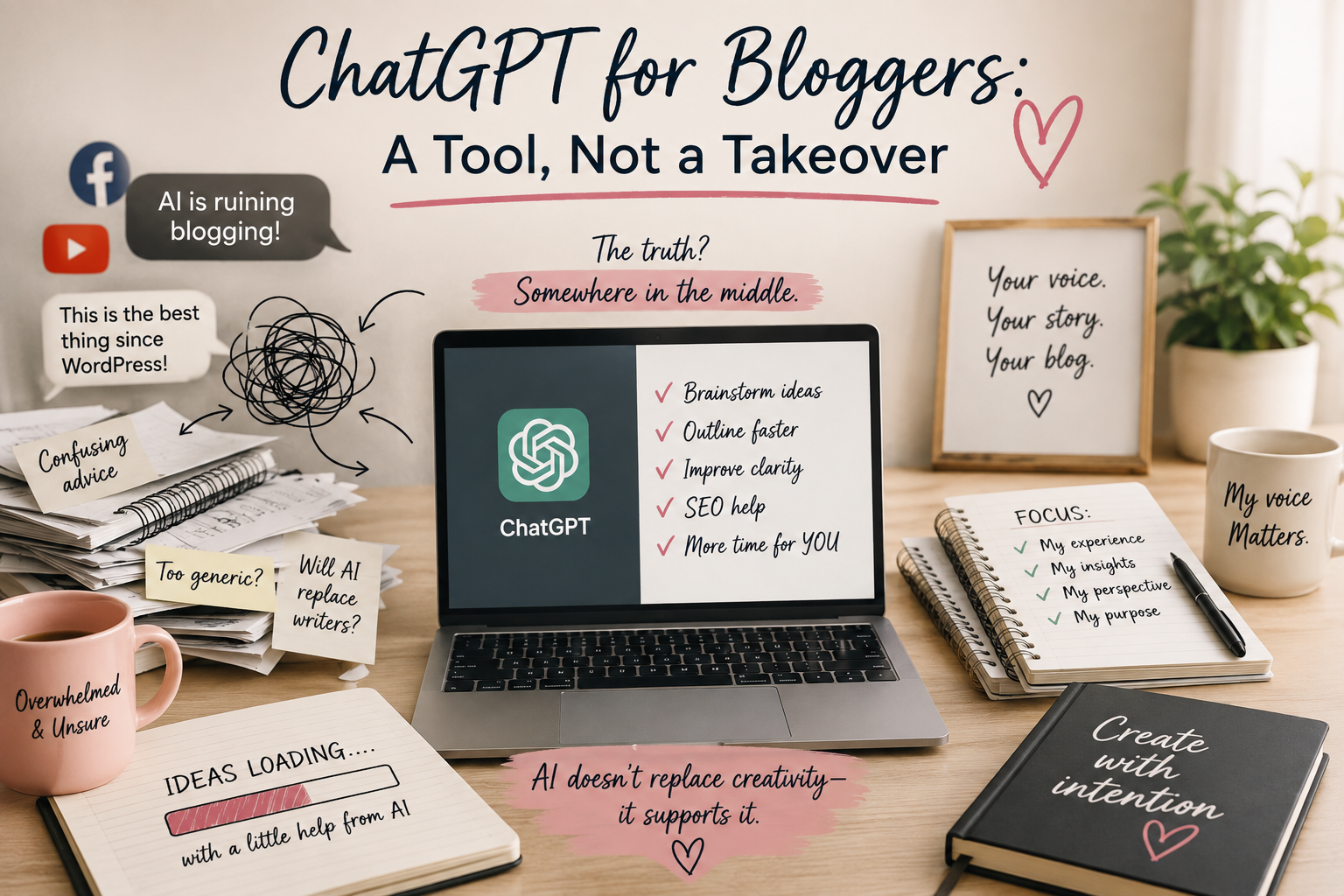
If you spend enough time in blogging Facebook groups or scrolling through YouTube, you’ll probably come away with one of two impressions about AI—and whether ChatGPT for bloggers is a game changer or a shortcut to avoid.
Some people believe it’s the greatest thing to happen to blogging since WordPress.
Others are convinced it’s ruining the internet.
Personally?
I think the truth is somewhere in the middle.
When ChatGPT first exploded in popularity, I was fascinated—but also skeptical. As someone who genuinely enjoys writing, I wasn’t interested in handing over my blog to an AI. My readers don’t come to Creating From Chaos for perfectly polished paragraphs. They come for my experiences, the lessons I’ve learned, and the honest moments that can’t be generated by a machine.
What I discovered, though, is that AI doesn’t have to replace your creativity.
In fact, when you use it intentionally, ChatGPT for bloggers can become one of the most valuable tools in your content creation process, giving you more time to focus on the parts of blogging that only you can do.
Today, ChatGPT has become one of the most valuable tools in my blogging workflow—not because it writes my articles, but because it helps me think more clearly, organize ideas faster, and spend less time staring at a blinking cursor.
In fact, ChatGPT is just one piece of the blogging system I use every week. If you’re looking for the complete toolkit I rely on to grow my blog, check out my guide to 5 Powerful Blogging Tools That Will Boost Your Blog Traffic.
If you’ve been wondering whether ChatGPT for bloggers is worth using, I’d love to show you exactly how I incorporate it into my workflow—and just as importantly, how I don’t.
✨ This article is part of the From Chaos to Clicks series
AI Doesn't Write My Blog—It Strengthens My Process
One of the biggest myths about ChatGPT for bloggers is that bloggers simply type in a prompt, copy the response, hit publish, and watch the traffic roll in.
That’s never been my approach or my experience.
Could I ask ChatGPT to write an entire article?
Absolutely.
Would it sound like me? Not even close.
The heart of Creating From Chaos has never been perfectly written paragraphs. It’s the stories behind them—the wins, the mistakes, the lessons, and the experiences that shape how I see the world.
AI can’t replace that.
What it can do is eliminate many of the repetitive tasks that happen before and after the writing process, allowing me to spend more time on the parts only I can do.
That’s where ChatGPT for bloggers truly shines.
ChatGPT for Bloggers: ✨ From My Workflow
I think of ChatGPT for bloggers as a brainstorming partner sitting across the table with a cup of coffee.
Sometimes I bring it a rough idea. For Example: Help me brainstorm about beauty tips for teens – > Then I narrow it down even further -> How to achieve the cat eye.
Sometimes I ask it challenging questions.
Sometimes I use it to help organize thoughts that are scattered across five pages of notes.
The conversation helps me think through ideas faster—but the finished article is always mine.
That mindset has completely changed how I use AI.
If you’re curious how ChatGPT fits alongside keyword research, SEO, Pinterest, and email marketing, I break down my complete workflow in my 5 Powerful Blogging Tools That Will Boost Your Blog Traffic guide.
My ChatGPT for Bloggers Workflow
Instead of using AI as a writer, I use it throughout the entire blogging process.
One thing I appreciate is that Google has made it clear that it evaluates content based on quality and usefulness—not simply whether AI was involved in creating it. That means your experience, expertise, and unique perspective still matter most.
Here’s what that looks like.
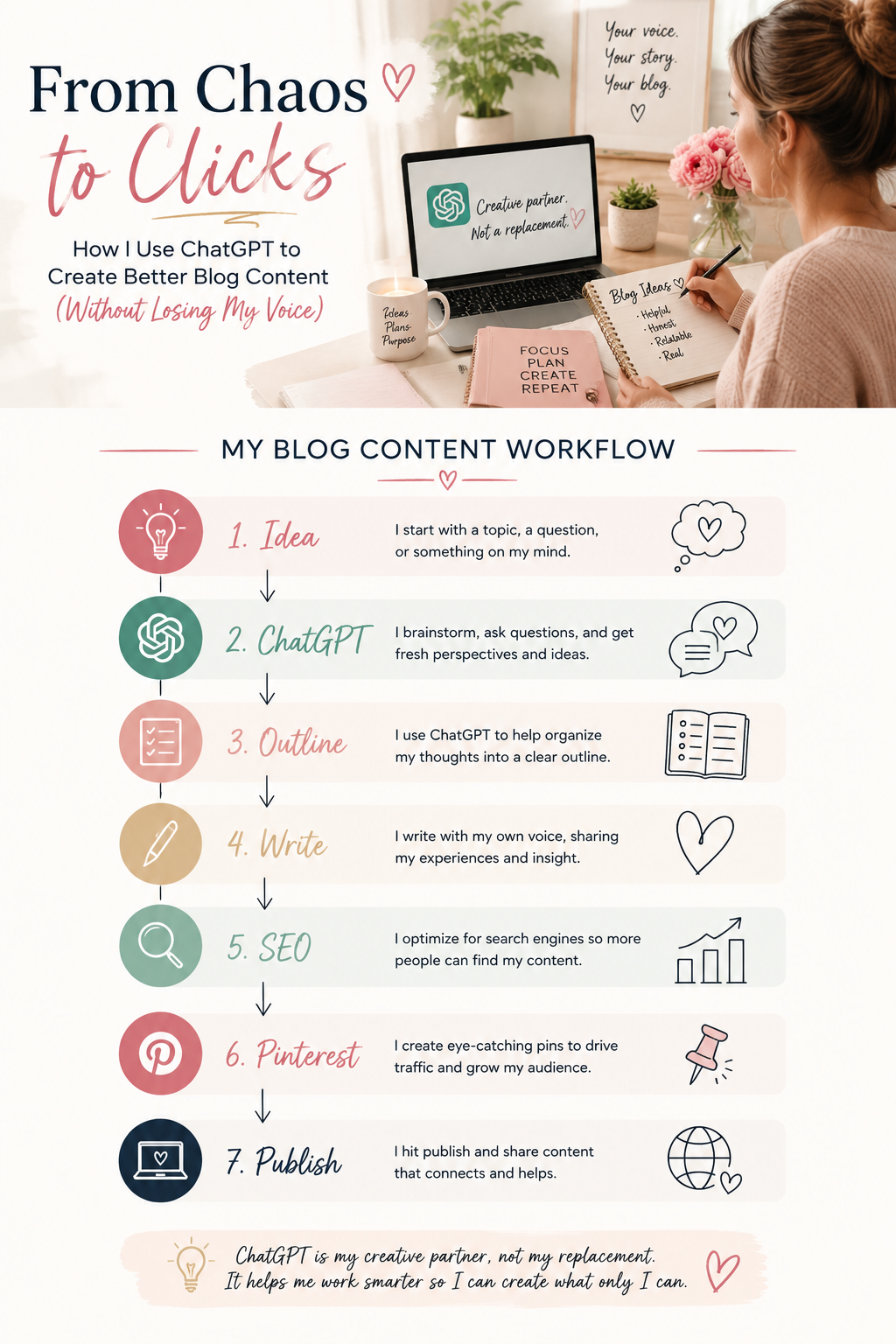
1. Brainstorming New Blog Ideas
One article often sparks ten more. When I’m planning content, I ask ChatGPT to help me identify:
- Questions readers might ask
- Related topics
- Seasonal opportunities
- Beginner questions
- Advanced questions
- Common misconceptions
This helps me build an entire content cluster instead of thinking one post at a time.
2. Building Better Outlines
This is probably my favorite use case.
Before writing, I work with ChatGPT to organize my ideas into a logical structure.
I’ll often ask:
- What’s missing?
- Which sections feel repetitive?
- What questions haven’t I answered yet?
- What would a beginner still want to know?
Instead of giving me the finished article, it helps me create a stronger roadmap.
And honestly, that’s half the battle.
If you’re looking to build a long-term content strategy instead of publishing random blog posts, HubSpot’s content marketing resources are packed with practical tips and beginner-friendly guides.
3. Finding Content Gaps
After I finish a first draft, I sometimes ask ChatGPT to review it from the perspective of a reader.
Questions like:
- What would still be confusing?
- What examples could strengthen this section?
- Are there any unanswered questions?
Those prompts often reveal opportunities I hadn’t considered.
4. Writing Better Headlines
After I finish a first draft, I sometimes ask ChatGPT to review it from the perspective of a reader.
Questions like:
- What would still be confusing?
- What examples could strengthen this section?
- Are there any unanswered questions?
Those prompts often reveal opportunities I hadn’t considered.
Even if you don’t subscribe to Ahrefs, the Ahrefs Blog is one of my favorite free resources for learning keyword research, SEO, and content strategy.
Coming up with one great headline can take me longer than writing several paragraphs.
Instead of settling for the first idea, I’ll brainstorm multiple headline variations and evaluate which one is:
- Clear
- Helpful
- Search-friendly
- Intriguing without being clickbait
That process almost always leads to a stronger final title.
5. Creating Supporting Content
Once the article is complete, ChatGPT helps me repurpose it into:
- Pinterest titles (If you’re new to Pinterest marketing, the Pinterest Business Hub is a great place to learn how Pinterest works as a visual search engine and discover best practices for creating content that gets found.)
- Pin descriptions
- Email newsletters (If you’re ready to start building an email list, Kit makes it easy to create forms, automate welcome emails, and nurture relationships with your readers—all without feeling overwhelmed.)
- Instagram captions
- Meta descriptions
- FAQ ideas
- Social media snippets
This allows one article to become multiple pieces of content without starting from scratch every time.
If SEO feels overwhelming, I highly recommend starting with Google’s Search Essentials. It’s one of the best places to learn how Google discovers, understands, and ranks content directly from the source.
💡 Quick Win
🚫 Common Mistake
One of the biggest mistakes I see is treating AI like a shortcut instead of a collaborator.
Readers can usually tell when an article lacks personal experience, thoughtful examples, or a unique perspective.
Those are the things that build trust. Use AI to remove busywork.
Use your own voice to build connection.
That’s the combination that creates content worth reading.
One of the easiest ways to improve your content is by watching how visitors actually interact with your website. Microsoft Clarity provides free heatmaps and session recordings that can reveal where readers engage—or where they lose interest.
💛 A Thought Before We Continue
This article isn’t really about ChatGPT.
It’s about protecting your creativity.
The more repetitive tasks you can automate, the more energy you have for the work that actually matters—sharing your experiences, helping people solve problems, and creating something that reflects who you are.
For me, that’s what AI is all about.
Not replacing creativity.
Making more room for it.
If this is your first article in the series, I recommend starting with 5 Powerful Blogging Tools That Will Boost Your Blog Traffic, where I introduce the complete blogging workflow before diving deeper into each tool.
Frequently Asked Questions
Yes, ChatGPT can write an entire blog post, but that doesn’t mean it should.
I prefer to use ChatGPT as a brainstorming partner rather than a ghostwriter. It helps me generate ideas, organize outlines, identify content gaps, and overcome writer’s block, but the final article is always written in my own voice. Your personal experiences, opinions, and insights are what make your content unique—and those are things AI simply can’t replace.
Absolutely. When used intentionally, ChatGPT can save bloggers hours of work each week.
I use it to brainstorm blog ideas, create outlines, generate FAQs, write meta descriptions, repurpose content for social media, and organize my thoughts before writing. Rather than replacing creativity, I believe ChatGPT helps me spend more time focusing on the parts of blogging I enjoy most: writing, teaching, and connecting with readers.
No. Google has made it clear that it evaluates content based on its quality, usefulness, and originality—not whether AI was involved in creating it.
The important question isn’t whether you used AI. It’s whether your article genuinely helps readers and demonstrates real experience and expertise. AI can be a valuable tool, but your own insights, stories, and knowledge are what make content worth reading.
Yes—but probably not in the way most people think.
I don’t use ChatGPT to “hack” SEO. Instead, I use it to help me create better content by brainstorming related topics, organizing ideas, identifying questions readers might have, and improving readability. Combined with keyword research and an SEO plugin like Rank Math, ChatGPT becomes part of a workflow that helps create content that’s both helpful for readers and easier for search engines to understand.
In my opinion, honesty builds trust.
I don’t feel the need to announce every time AI helps me brainstorm an outline or refine a headline, just as I wouldn’t list every software tool I use while writing. However, I’m also not trying to hide the fact that ChatGPT is part of my workflow. My readers know I use AI as a creative assistant—not as a replacement for my own voice or experiences.
Some of my favorite uses for ChatGPT include:
- Brainstorming blog topics
- Creating detailed outlines
- Generating FAQ ideas
- Refreshing older blog posts
- Writing Pinterest titles and descriptions
- Drafting email newsletters
- Creating social media captions
- Identifying content gaps
- Improving readability
- Planning future content
The key is to use AI to support your workflow—not to replace your creativity.
This is one of the questions I get asked most often.
The simplest answer is this: Don’t ask ChatGPT to write your finished article.
Instead, use it to help you think.
I spend time brainstorming ideas, refining outlines, and asking questions before I ever begin writing. Once I have a clear structure, I write every section in my own words, adding personal stories, lessons, and examples from my own experiences. That’s what gives my articles personality and authenticity.
Absolutely.
In fact, I think ChatGPT can be especially helpful for new bloggers who aren’t sure where to begin. It can help you brainstorm ideas, organize your thoughts, understand SEO concepts, and build confidence before you publish your first article.
Just remember that AI is a tool—not a shortcut. The more you combine it with your own experiences and perspective, the more valuable your content will become.
It can—if you rely on AI to write everything for you.
One of the biggest mistakes bloggers make is copying AI-generated content directly into their website without adding their own personality or experiences. Readers connect with stories, opinions, lessons learned, and authentic insights. Those are things only you can provide.
I use ChatGPT to speed up the planning process so I have more time to write in my own voice. That’s why every article on Creating From Chaos reflects my personal experiences, even when AI has helped behind the scenes.
🚀 Continue Your Journey
| 📚 Guide | Status |
|---|---|
| 5 Powerful Blogging Tools That Will Boost Your Blog Traffic | ✅ Read Now |
| How I Use ChatGPT to Create Better Blog Content | ✅ Read Now |
| Keyword Research with Ahrefs | 🚧 Coming Soon |
| Rank Math SEO Guide | 🚧 Coming Soon |
| Pinterest for Bloggers | 🚧 Coming Soon |
| Build Your Email List with Kit | 🚧 Coming Soon |